Writing JSON Documents
This article writes a JSON document to a file. It is the same problem the Xml Writer page solves with XPaths — a flat dataset that has to come out nested — solved with JPaths instead.
Writing JSON to a service is a different article
IMan writes JSON through the same Writer whether the document goes to a file or to a URL, but everything interesting about a service is in the request rather than in the document: two URLs, an operation each, and a field that chooses between them per record.
- JSON Writer - Flat Data — the same six contacts, posted to Xero.
- Consuming the Response — reading what the far end sent back into the IMan dataset.
This page is the file case: one document, no request, and the whole dataset in it.
The source data
sample-data/csv/xero-contacts.csv, six contacts, one line each:
Name,FirstName,LastName,EmailAddress,AccountNumber,AddressLine1,City,Region,
PostalCode,Country,PhoneAreaCode,PhoneNumber,IsCustomer,IsSupplier
Kestrel Coffee Roasters,Anna,Petrov,[email protected],KCR-001,
14 Mill Lane,Bristol,Avon,BS1 4TR,United Kingdom,0117,496 0181,TRUE,FALSE
Flat, with the address and phone columns sitting alongside the rest. The document it has to become is not flat:
{
  "Contacts": [
    {
      "Name": "Kestrel Coffee Roasters",
      "FirstName": "Anna",
      "LastName": "Petrov",
      "EmailAddress": "[email protected]",
      "AccountNumber": "KCR-001",
      "Addresses": [
        { "AddressLine1": "14 Mill Lane", "City": "Bristol", "Region": "Avon",
          "PostalCode": "BS1 4TR", "Country": "United Kingdom" }
      ],
      "Phones": [
        { "PhoneAreaCode": "0117", "PhoneNumber": "496 0181" }
      ],
      "IsCustomer": true,
      "IsSupplier": false
    },
    …
  ]
}
Two levels of nesting and two arrays, out of one flat row. No transform builds that structure — the field paths do.
Step a - the Reader
A CSV Reader over the file, with
Header Rows set to 1, Mapping Style By Field Heading, and its
transaction renamed Contact.
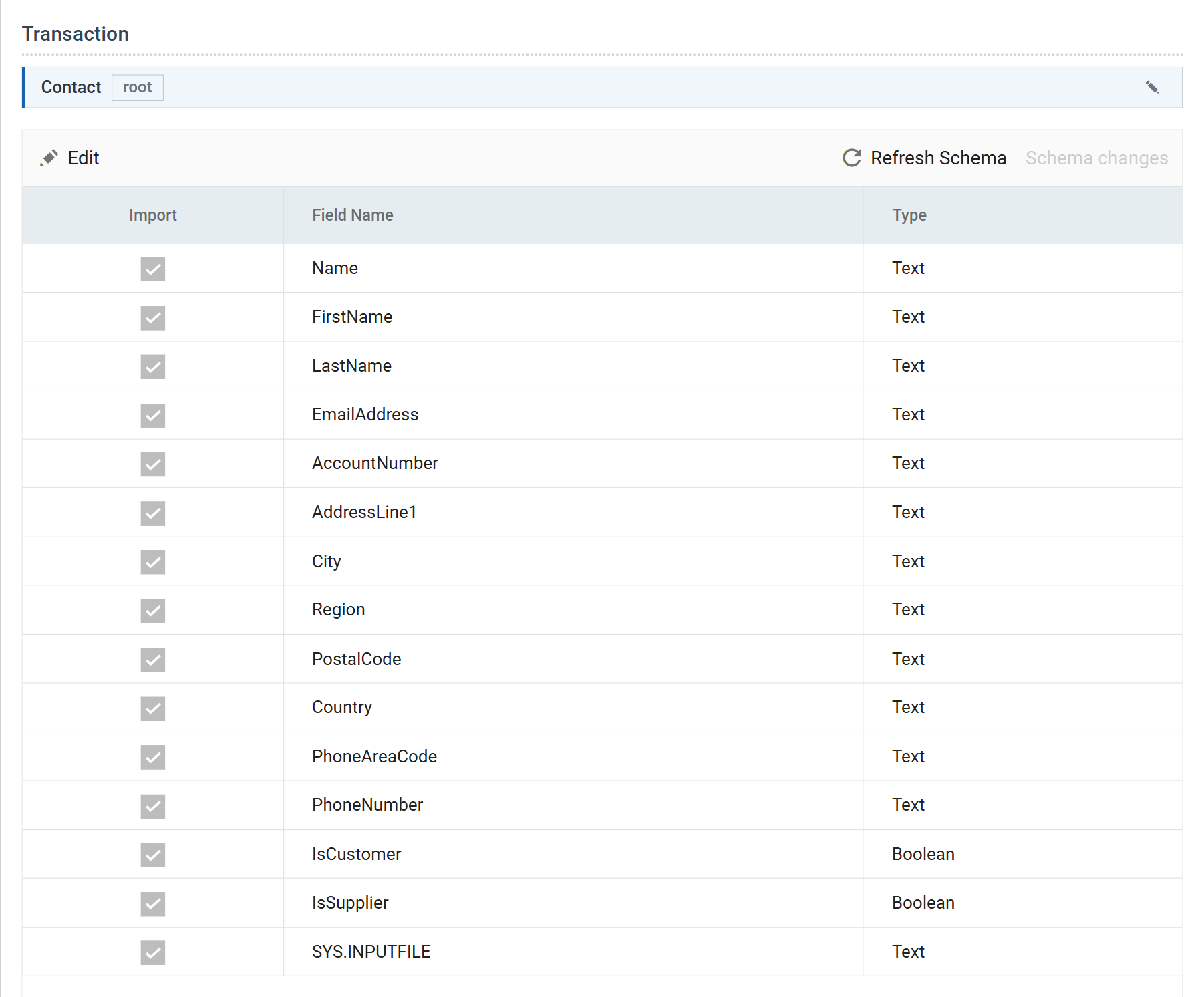
Set IsCustomer and IsSupplier to Boolean here. This is the only thing
on the reader that matters to the document: JSON distinguishes true from
"TRUE", and the Writer takes that distinction from the dataset's field
types rather than from anything on the Writer itself. Left as Text, the two
values come out as quoted strings and a strict consumer rejects them.
The same is true of numbers. A Decimal field writes 282.00; the same value
in a Text field writes "282.00".
Step b - the target
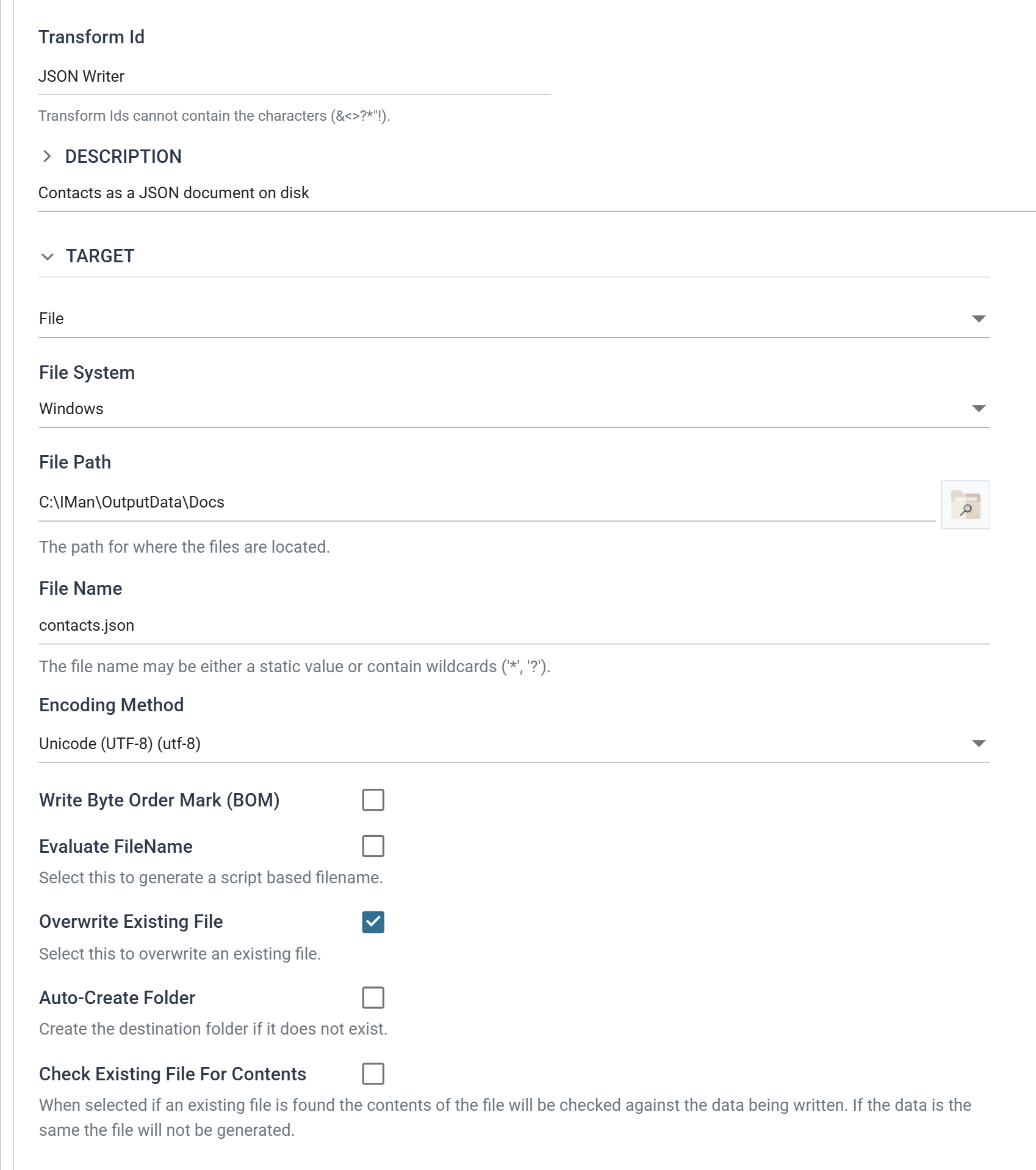
| Field | Value | |
|---|---|---|
| Target | File | Changing this resets the section below it and asks first |
| File System | Windows | |
| File Path | C:\IMan\OutputData\Docs |
|
| File Name | contacts.json |
|
| Encoding Method | Unicode (UTF-8) | |
| Overwrite Existing File | ✔ |
Switching Target from the default http(s) Url to File raises "Changing the target will reset its settings." Take it at its word: it discards the Insert Url, the operations and the Modify Field, so set the target before configuring anything beneath it.
One document, or one per contact
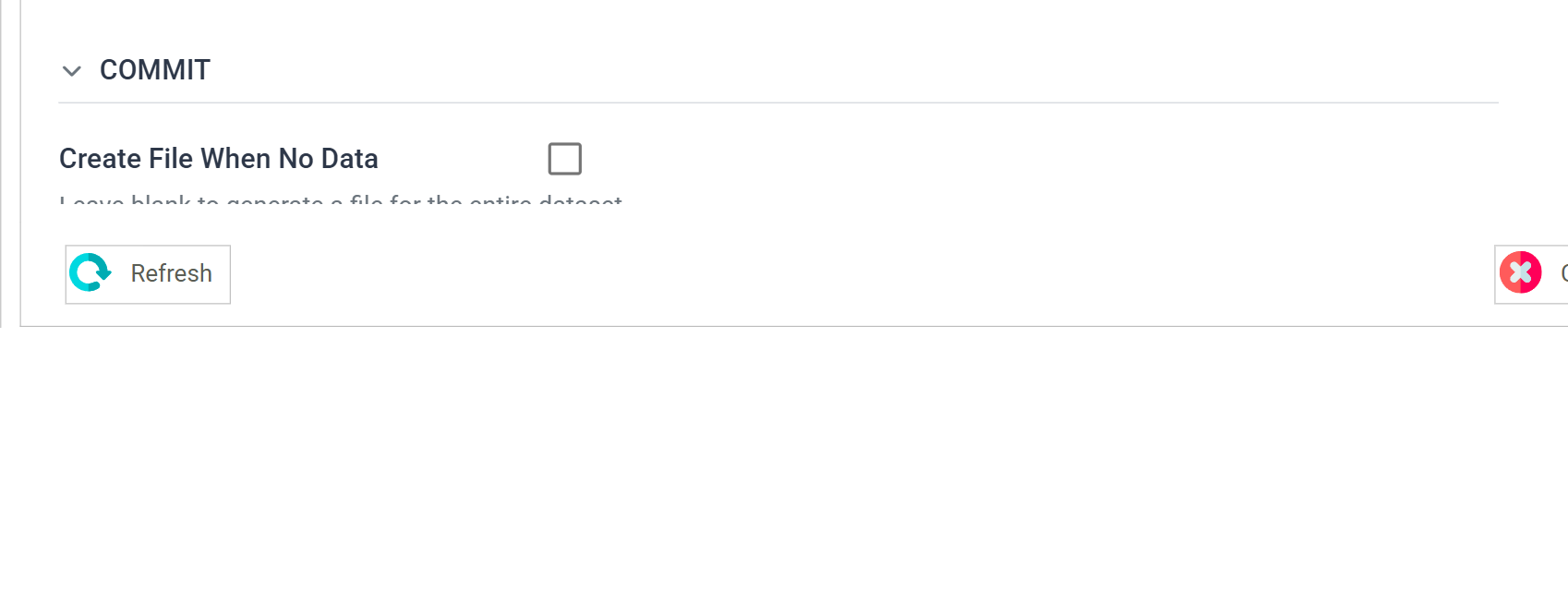
Generate File Per Transaction left at (none) builds one document from
the whole dataset — six contacts in one array, which this page wants.
Name a transaction there instead and the Writer commits once per record: six documents. Against a file target that means six writes, and with a static file name each overwrites the last, leaving one file holding the final contact. If you want a file per record, put a wildcard in the file name or tick Evaluate FileName and build one.
That setting is doing something quite different on the webservice writer, where one document per record makes a per-record URL possible.
Step c - building the document
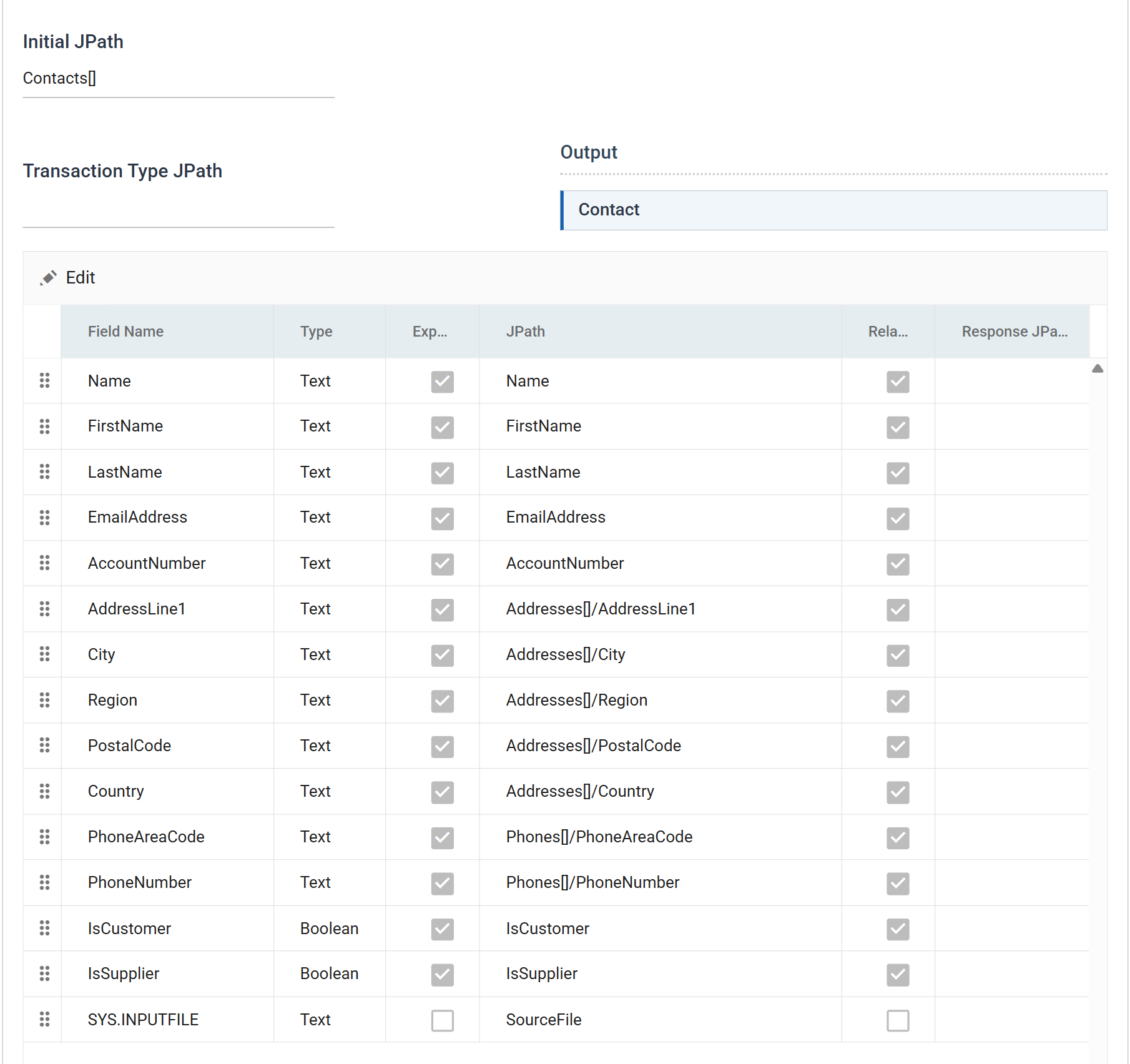
The Initial JPath
Initial JPath is the wrapper the whole document is built inside:
The trailing [] makes it an array, and the transaction's records become
objects in it. Six records, six objects.
Transaction Type JPath is left empty for the top transaction — it is already positioned by the Initial JPath. A child transaction would carry its own path here.
The field paths
| Field | JPath |
|---|---|
Name |
Name |
FirstName |
FirstName |
LastName |
LastName |
EmailAddress |
EmailAddress |
AccountNumber |
AccountNumber |
AddressLine1 |
Addresses[]/AddressLine1 |
City |
Addresses[]/City |
Region |
Addresses[]/Region |
PostalCode |
Addresses[]/PostalCode |
Country |
Addresses[]/Country |
PhoneAreaCode |
Phones[]/PhoneAreaCode |
PhoneNumber |
Phones[]/PhoneNumber |
IsCustomer |
IsCustomer |
IsSupplier |
IsSupplier |
SYS.INPUTFILE |
(not exported) |
Three rules, all of which catch people:
- Segments are separated by a forward slash, not a dot.
Addresses[]/City, neverAddresses[].City. JPath here is a path, and it reads like an XPath rather than like JavaScript. []on an intermediate segment is the whole trick. An array indicator part-way along a path creates the array and puts the rest of the path inside its first object — so five fields that all beginAddresses[]/merge into one object in one array. Flat data goes in, a nested document comes out, and no Hierarchy transform was needed.- A field with no JPath and Export ticked writes nothing useful. Untick
Export on anything you do not want in the document;
SYS.INPUTFILEis the usual candidate.
The field dialog
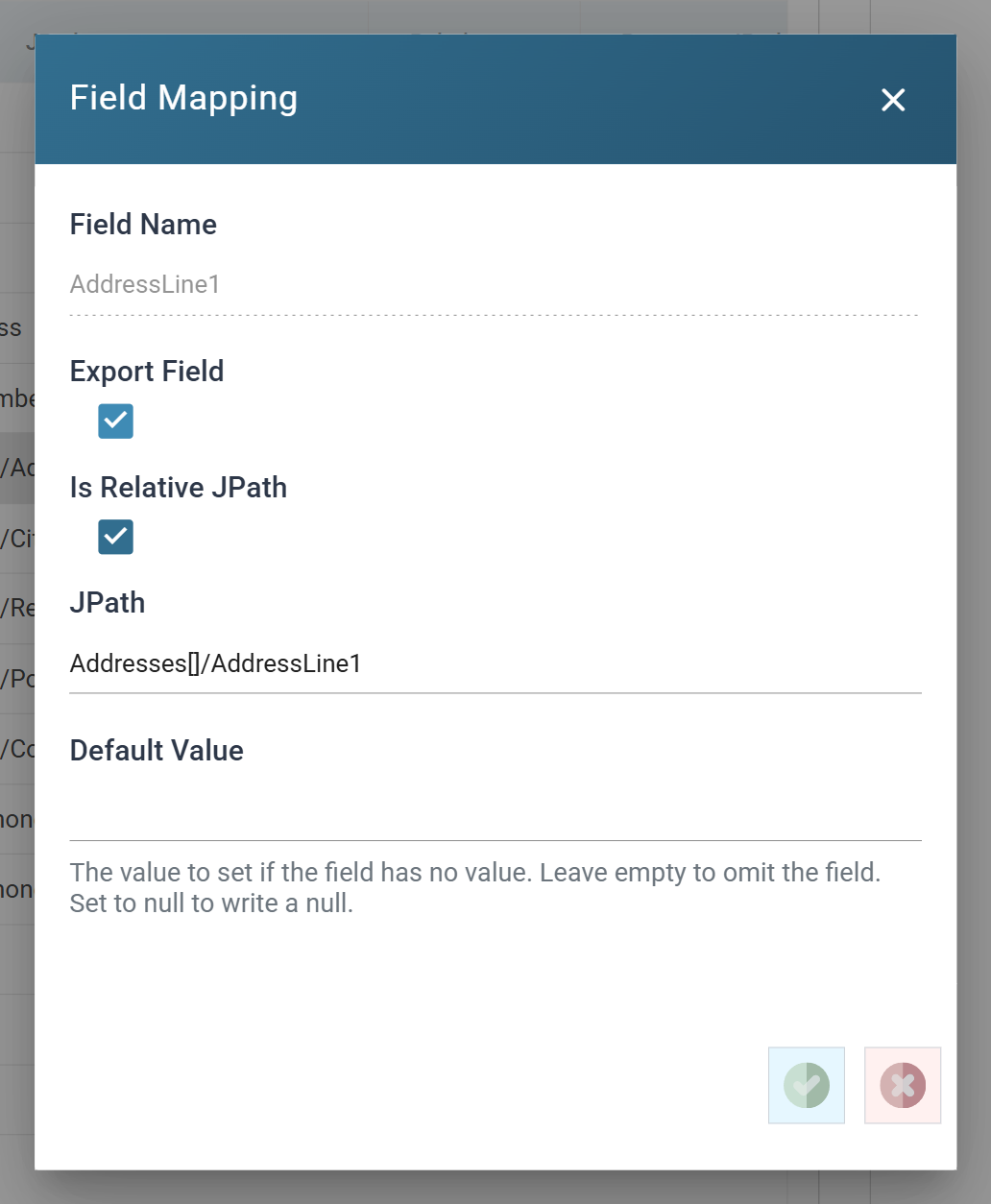
Default Value decides what happens when a field is empty, and the three
cases are genuinely different: left empty the property is not written at
all, a value writes that value, and the literal null writes a JSON null. A
service that distinguishes "absent" from "explicitly cleared" cares about the
difference.
Is Relative JPath is ticked, so the path is appended to the transaction's. See the warning below before clearing it.
Step d - run it
Refresh from the reader down, then read the file:
{
  "Contacts": [
    {
      "Name": "Halden Timber Supplies",
      "FirstName": "Owen",
      "LastName": "Blake",
      "EmailAddress": "[email protected]",
      "AccountNumber": "HTS-002",
      "Addresses": [
        {
          "AddressLine1": "Unit 7 Northgate Estate",
          "City": "Leeds",
          "Region": "West Yorkshire",
          "PostalCode": "LS2 8JS",
          "Country": "United Kingdom"
        }
      ],
      "Phones": [
        { "PhoneAreaCode": "0113", "PhoneNumber": "244 7712" }
      ],
      "IsCustomer": false,
      "IsSupplier": true
    }
  ]
}
IsCustomer and IsSupplier are unquoted false and true, from the two
Boolean columns set on the reader. The output is indented, so it is readable as
it stands.
When it does not work
- The values are quoted when they should not be. The field is
Textin the dataset. Fix it on the reader, not on the writer. - The nested object did not appear. A dot instead of a slash —
Addresses[].Citywrites a property whose name contains a dot. - An array arrives with one long string in it. An array-valued field whose value has an unterminated double quote in it: the whole value becomes the single element. See the JSON writer's array fields.
- Only the last contact is in the file. Generate File Per Transaction names a transaction, so each record wrote its own document over the last.
Verified against IMan 6.1 on 3 September 2026, against the DOCSWRITE
integration described in sample-data/README.md.