Reading XML Documents
This article builds an Xml Reader over a document that carries two namespaces and puts some of its values in attributes — the two things that make XML different from every other file a Reader handles.
Introduction to XML
Method
- Setup an XML Reader
- Create Parent Transaction Type
- Create Children Transaction Types
- Referencing the value of a repeating node
Xml Data
Xml is a self-describing, hierarchical data format. It is straightforward to work with because:
- Xml parsers validate the syntax on load, and further validation can be enforced through an Xml schema;
- fields and record types can be added without breaking an existing setup.
orders.xml holds three orders. Trimmed to one:
<?xml version="1.0" encoding="utf-8"?>
<OrderExport xmlns="http://schemas.realisable.co.uk/sample/orders/v1"
             xmlns:cust="http://schemas.realisable.co.uk/sample/customer/v1"
             exportedOn="2016-03-12T09:14:00Z"
             source="Web Storefront">
  <Order id="FBRN-309242" type="Web" currency="USD">
    <OrderDate>2016-03-11</OrderDate>
    <SalesTotal>282.00</SalesTotal>
    <cust:Customer>
      <cust:Title>Mr</cust:Title>
      <cust:FirstName>Ronald</cust:FirstName>
      <cust:LastName>English</cust:LastName>
    </cust:Customer>
    <ShipTo>
      <City>Fairbanks</City>
      <Country>USA</Country>
    </ShipTo>
    <Lines>
      <Line no="1">
        <Qty>5</Qty>
        <SkuCode>A1-103/0</SkuCode>
        <UnitPrice>20.00</UnitPrice>
      </Line>
    </Lines>
    <Charges>
      <Charge type="Delivery">
        <Amount>29.00</Amount>
      </Charge>
    </Charges>
  </Order>
</OrderExport>
Two things in there shape everything below:
- Two namespaces. A default one on
OrderExport, which every unprefixed element inherits, andcust:for the customer. - Attributes. The order id, type and currency, the line number and the charge type are attributes rather than elements.
IMan Xml Parsing
XML is parsed into three sections:
- Entry Point
- The XPath identifying the repeating element the top transaction is read from.
- Top Record Type
- The top repeating transaction type, read from the entry point itself.
- Children Transaction Types
- The nodes denoting child records. An unlimited number of children in virtually unlimited nesting (max. 64 child transactions).
Setup an XML Reader
- Create a new integration — this article uses
DOCSXMLREAD. - On the Transform Setup tab, open the Readers group in the palette and drag an Xml Reader onto the design surface.
- Save the integration. A newly dropped node cannot be opened until it has been saved.
- Double-click the node to open its setup pane.
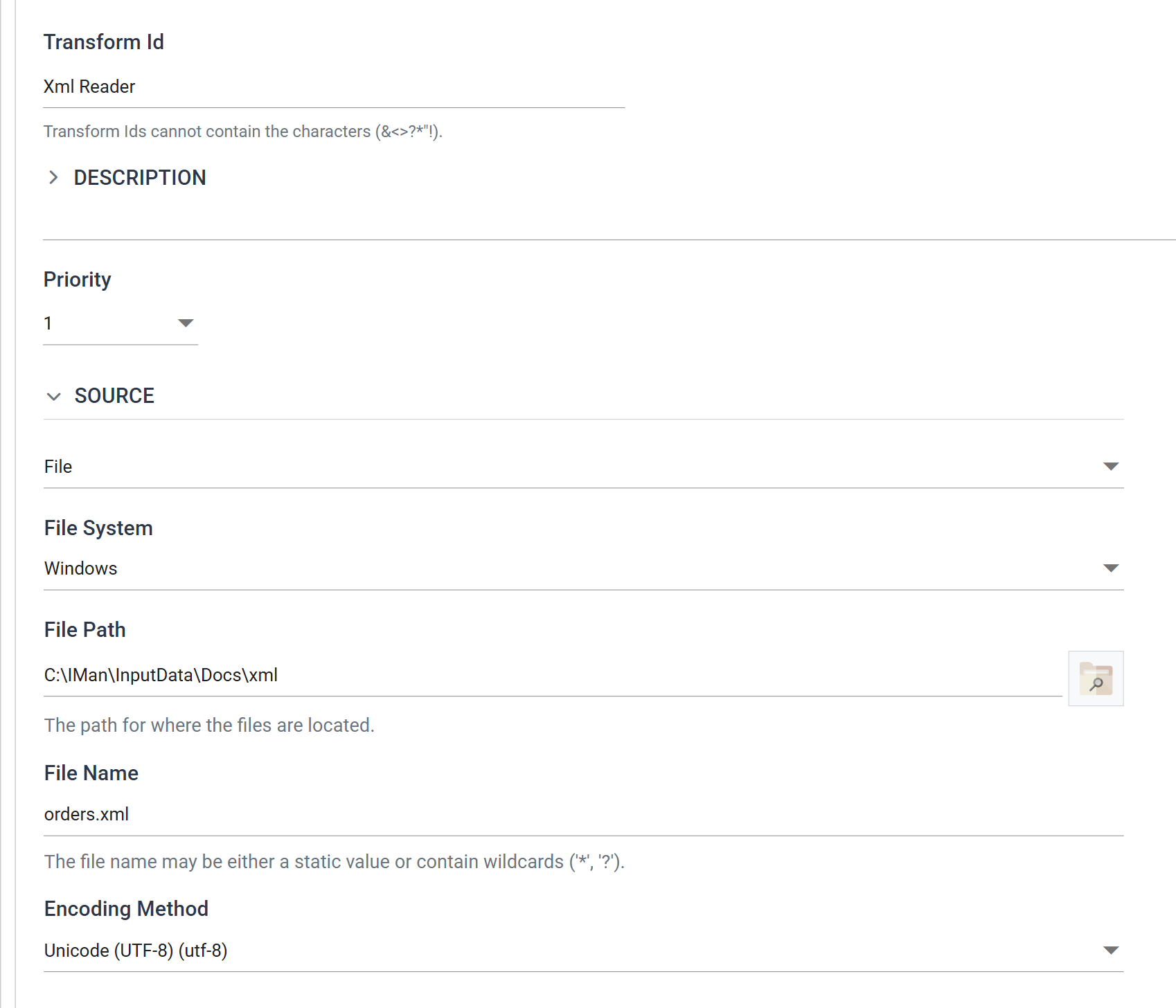
| Field | Value | |
|---|---|---|
| Transform Id | Xml Reader |
Names the transform in the diagram and in error messages |
| Source | File | Or http(s) Url — see the Webservices cookbook |
| File System | Windows | |
| File Path | C:\IMan\InputData\Docs\xml |
|
| File Name | orders.xml |
|
| Encoding Method | Unicode (UTF-8) | Xml files are usually UTF-8; most other text files are ASCII |
Namespaces, and the prefix you have to invent
Below the source is Xml Namespace Declaration. Every namespace the document
uses is declared here, one per line, in the form
xmlns:prefix="<namespace>".
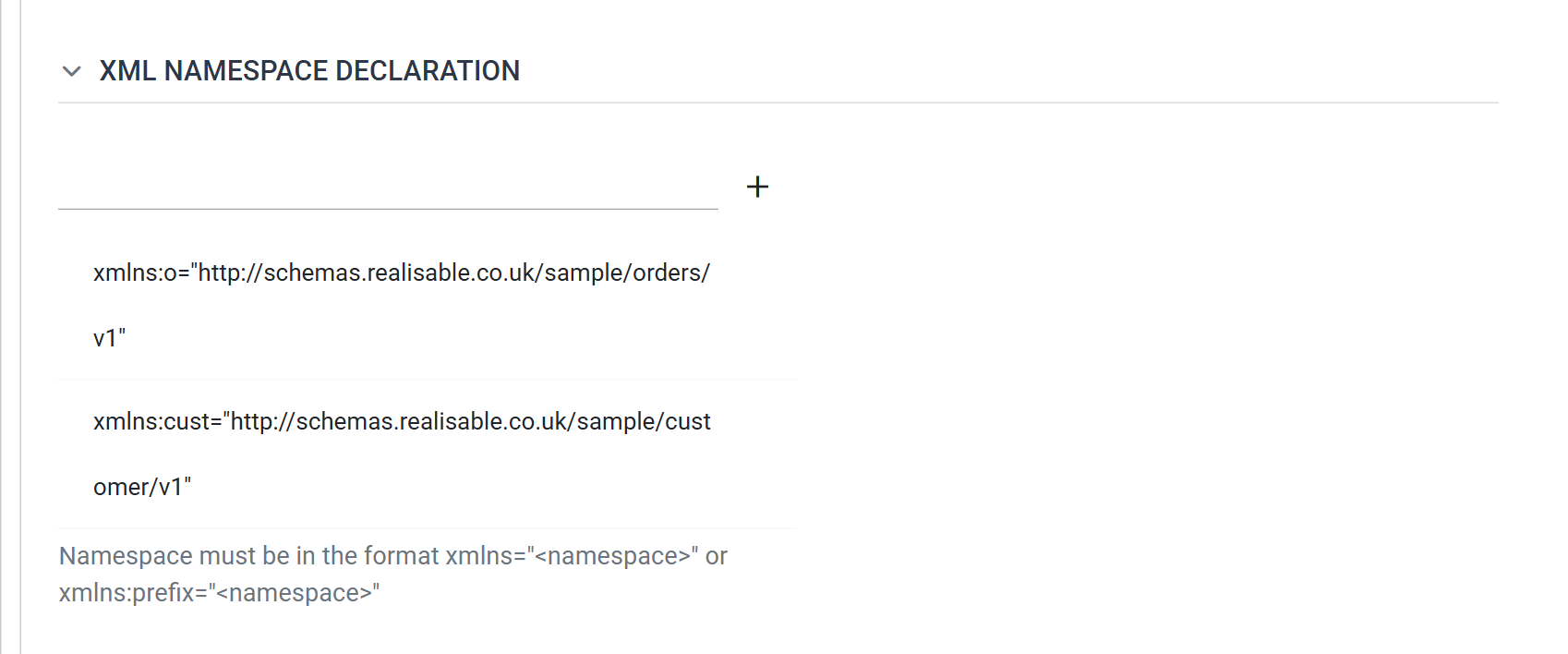
xmlns:o="http://schemas.realisable.co.uk/sample/orders/v1"
xmlns:cust="http://schemas.realisable.co.uk/sample/customer/v1"
The second line is the obvious one — the document itself says xmlns:cust=…, so
it is copied across as-is.
The first line is the one that catches people out. In the document that
namespace is the default — it is declared as plain xmlns= and its elements
carry no prefix at all. But XPath 1.0 has no notion of a default namespace: an
unprefixed name in an XPath means no namespace, which matches nothing in a
document like this.
You therefore have to invent a prefix for it. o is chosen here; it could
be anything. It exists only inside IMan and appears nowhere in the document.
The commonest XML reader fault
An XPath of /OrderExport/Order against this document selects nothing,
and it fails silently — no error, just no data. /o:OrderExport/o:Order
works.
If a Refresh returns no rows and the paths look right, this is almost always why.
Press the green tick to save.
Create Parent Transaction Type
Move to the Field Mapping tab and press Refresh Schema on the field grid's toolbar. IMan reads the document, works out its structure, and opens the review on what it found. OK commits it.
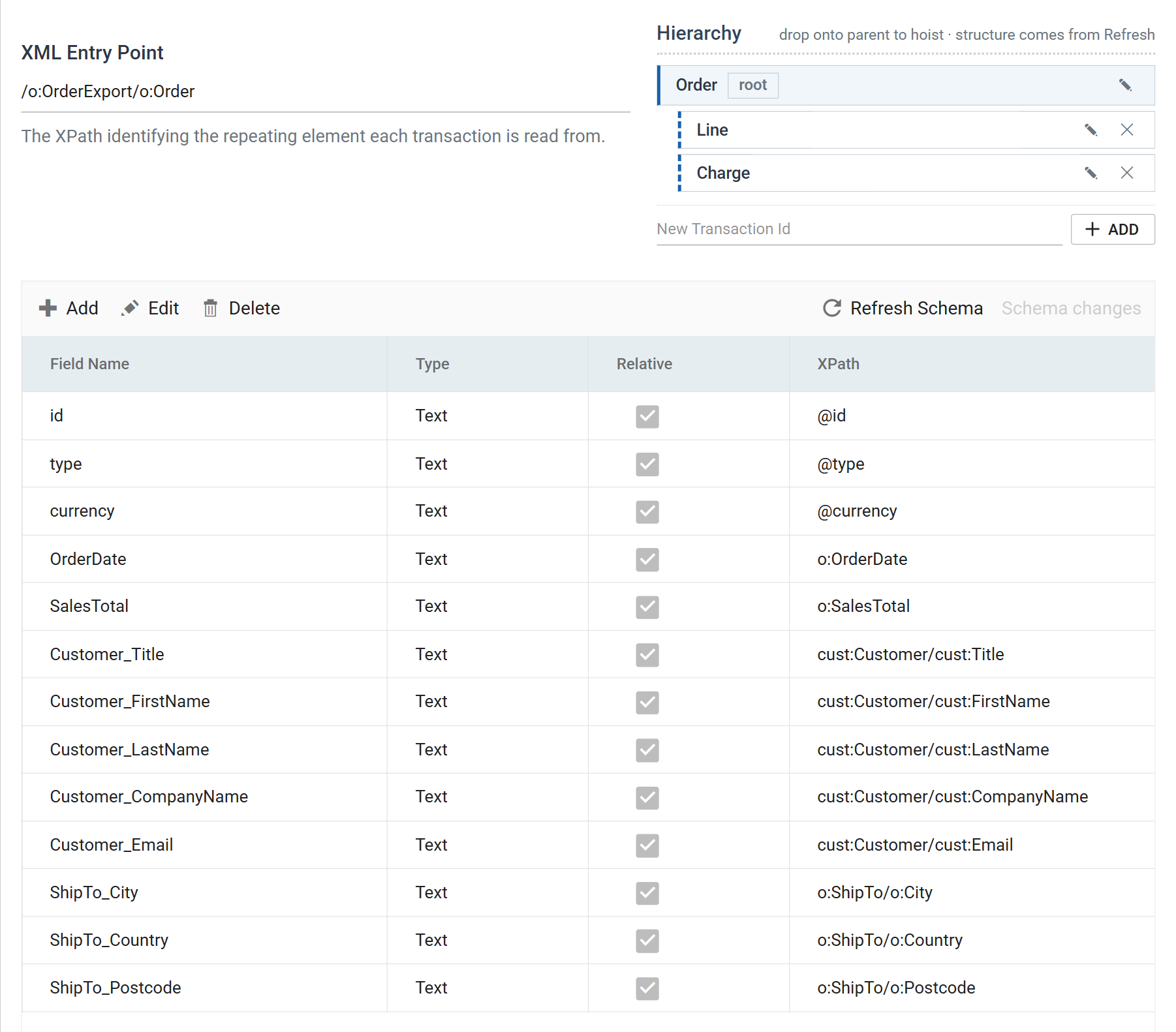
Detection fills in the XML Entry Point itself:
The entry point is the repeating element, not the container
It points at Order, not at the OrderExport wrapper around it. The top
transaction is read from the entry point, so the root
transaction has no Transaction XPath of its own — the control is not
even shown for it. Only child transactions have one.
Earlier releases of IMan asked for the container here and gave the top record a relative path beneath it. If you are maintaining a reader built that way, this is the difference.
Rename the root transaction to Order, then select it to see its fields.
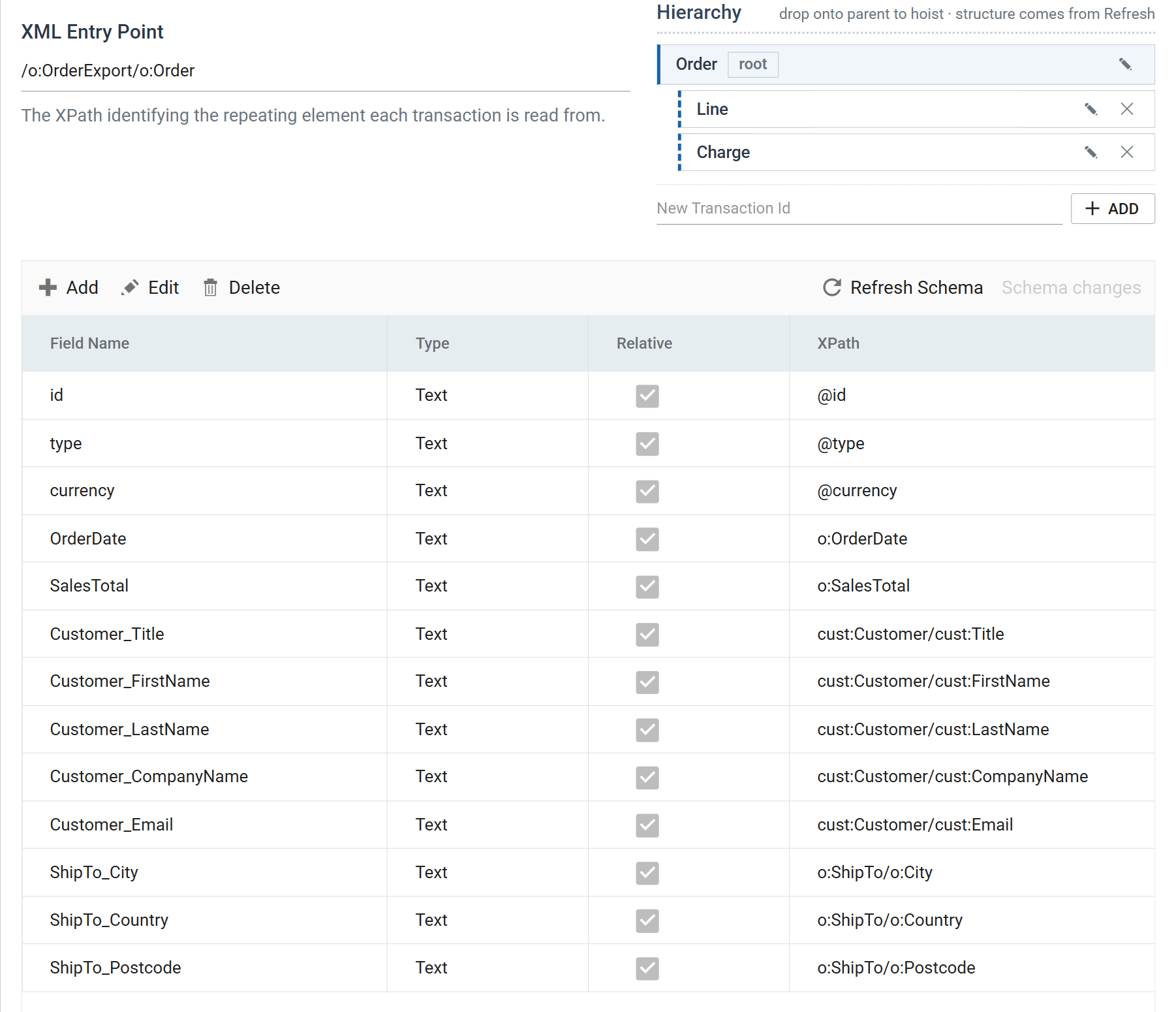
Each field carries an XPath relative to its transaction's node:
| Field | XPath | |
|---|---|---|
id |
@id |
An attribute — @ is XPath for "attribute of this node" |
type |
@type |
|
currency |
@currency |
|
OrderDate |
o:OrderDate |
A child element, in the default namespace, so prefixed o: |
SalesTotal |
o:SalesTotal |
|
Customer_Title |
cust:Customer/cust:Title |
Two levels down, and in the other namespace |
Customer_FirstName |
cust:Customer/cust:FirstName |
|
ShipTo_City |
o:ShipTo/o:City |
A nested element in the default namespace |
ShipTo_Country |
o:ShipTo/o:Country |
Two things worth drawing out:
- An attribute is just an XPath step. There is no separate "read the
attribute" setting —
@idis a path like any other. - A nested element does not need its own transaction.
cust:Customerando:ShipToeach occur once per order, so they are flattened into the order's own fields with a two-step path. Give a node its own transaction only when it repeats.
Check the field types
Detection reads structure, not meaning, and types everything Text. Set
SalesTotal, UnitPrice and Amount to Decimal, Qty to Integer
and OrderDate to Date/Time if anything downstream is going to do
arithmetic or date comparison on them.
Create Children Transaction Types
Lines/Line and Charges/Charge do repeat, so each gets its own transaction.
Select one in the tree and its Transaction XPath appears.
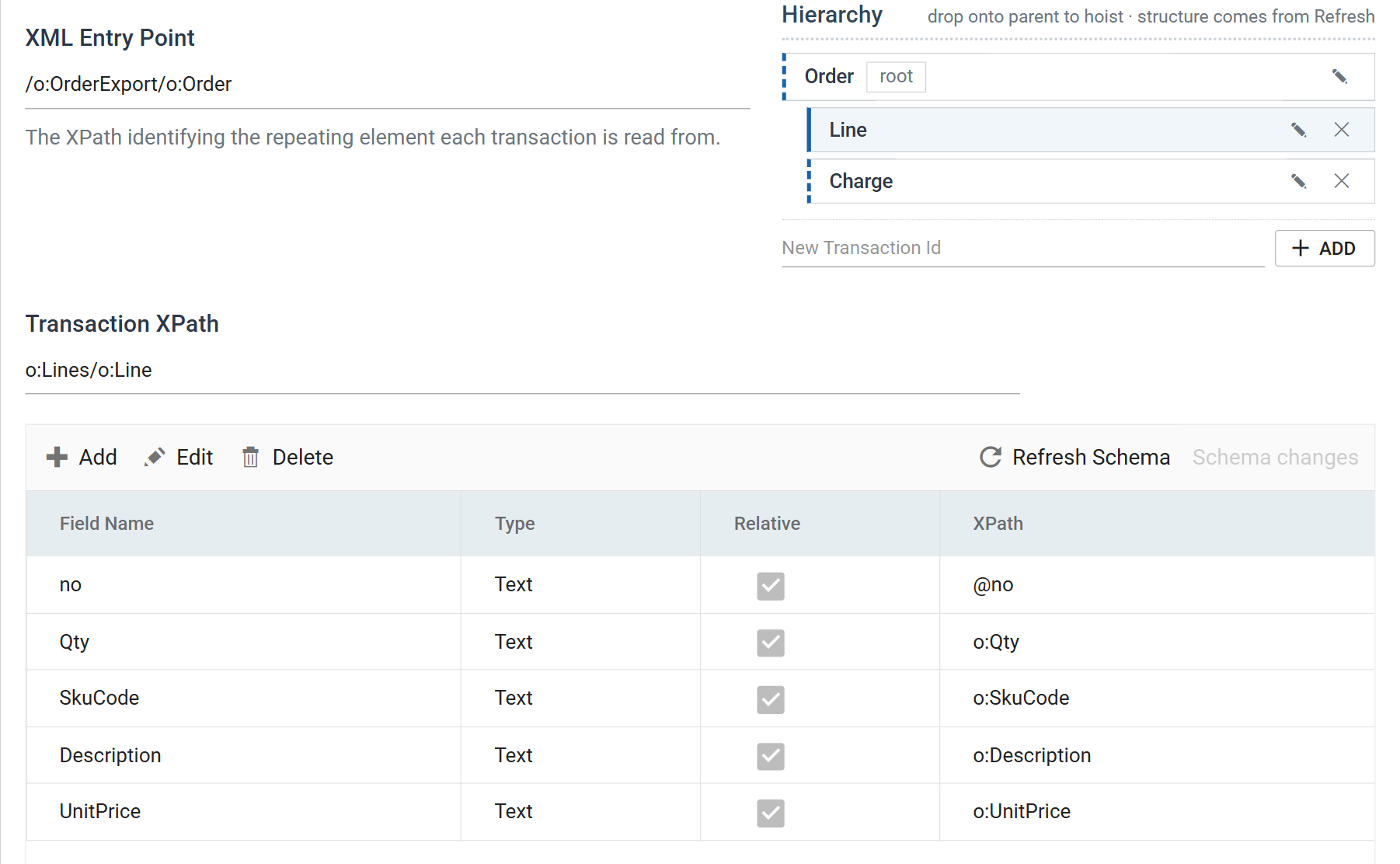
| Transaction | Transaction XPath | Fields |
|---|---|---|
Line |
o:Lines/o:Line |
@no, o:Qty, o:SkuCode, o:Description, o:UnitPrice |
Charge |
o:Charges/o:Charge |
@type, o:Amount |
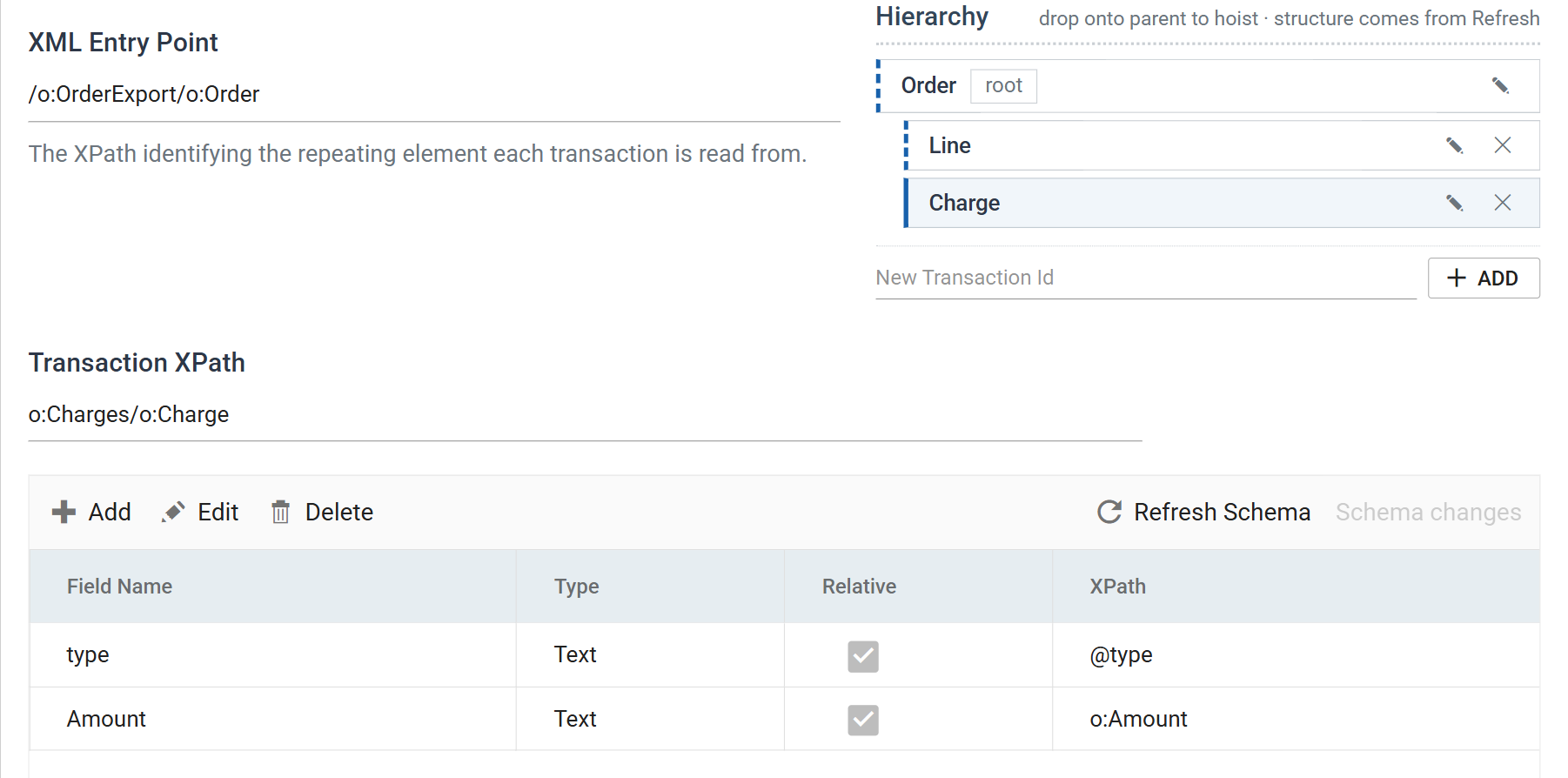
The transaction XPath is relative to the parent, and it includes the wrapper.
o:Lines/o:Line walks through the Lines container to the repeating Line
inside it. The container gets no transaction of its own because it does not
repeat — it just has to be walked through.
Press Save, then Refresh.
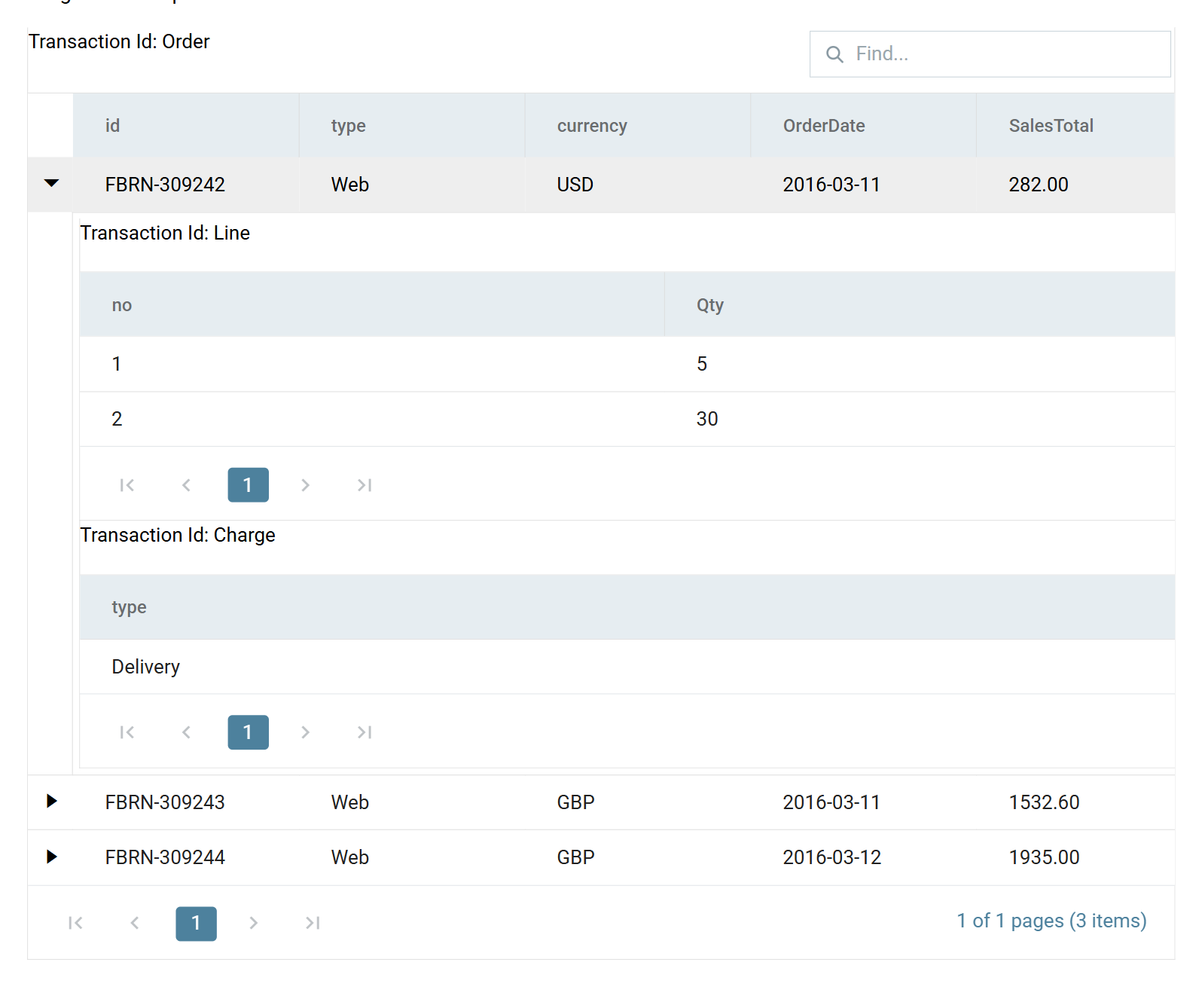
Close the setup pane and press Save on the design screen.
Referencing the value of a repeating node
Everything above reads values out of nodes that are children of the repeating node. This section covers the case where the value is held in the repeating node itself.
Scenario
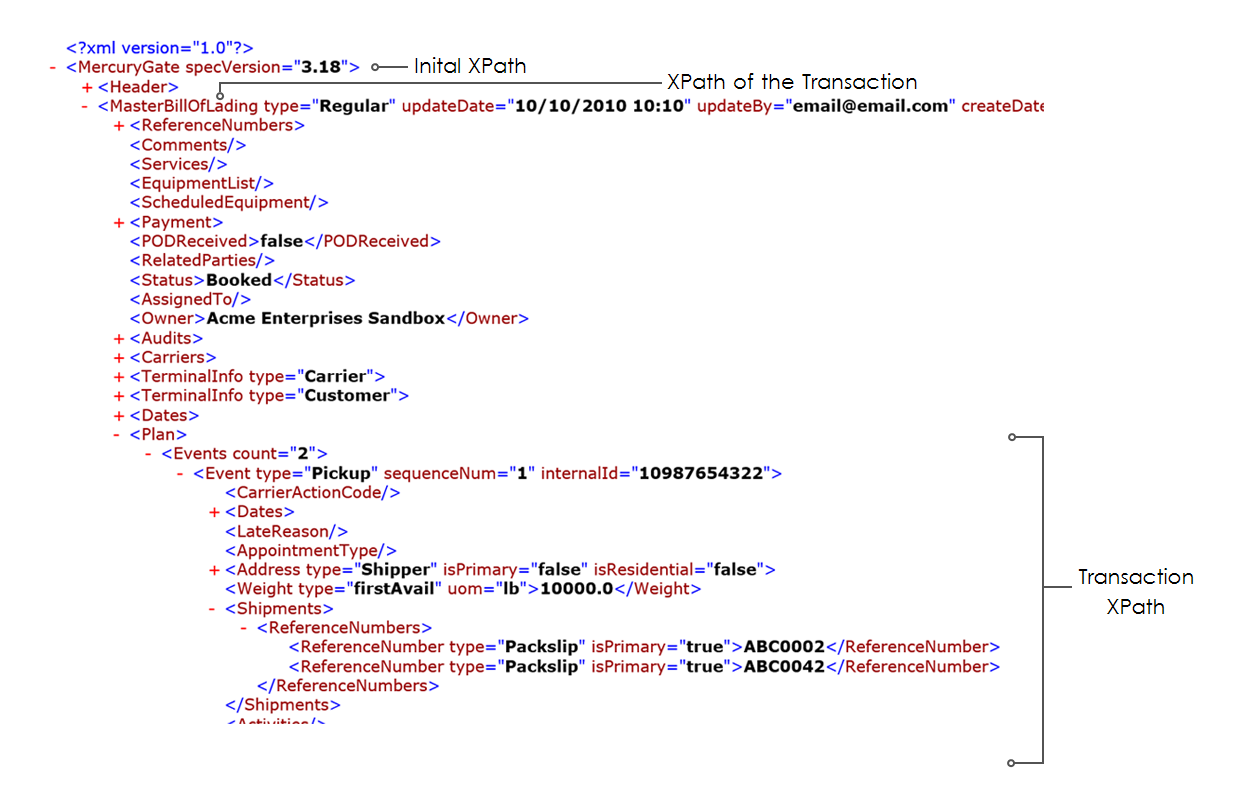
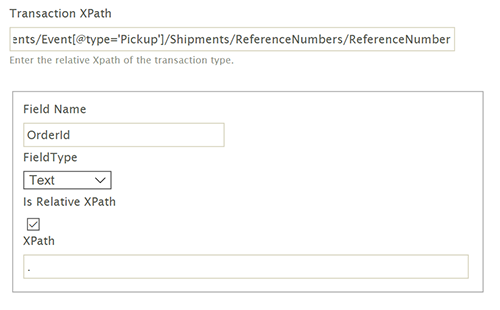
We need to obtain both of the values contained in the ReferenceNumber nodes.
That is, the values are enclosed in the node itself.
This shape differs from the one above
This differs from the setup above, where the values being queried are nested within nodes that are children to the repeating node.
Solution
Assuming a parent transaction type whose Transaction XPath is
MasterBillOfLading and an entry point of MercuryGate, both marked above.
Transaction XPath
The repeating node is part of the XPath
The ReferenceNumber node itself is included in the XPath, because
ReferenceNumber is the repeating node. See the image above.
Field XPath
The field XPath is a single dot, ., which is XPath's shorthand for the current
node.
Stop the Transaction XPath short and you read one value
If the Transaction XPath were specified only as far as the
ReferenceNumbers node and the Field XPath were ReferenceNumber, you
would pick up only the first value, because there is a single
ReferenceNumbers node.
Verified against IMan 6.1, September 2026. The two images in the final section are from an earlier release and a customer document that is not reproducible here; the technique they show is unchanged.