Navigating IMan
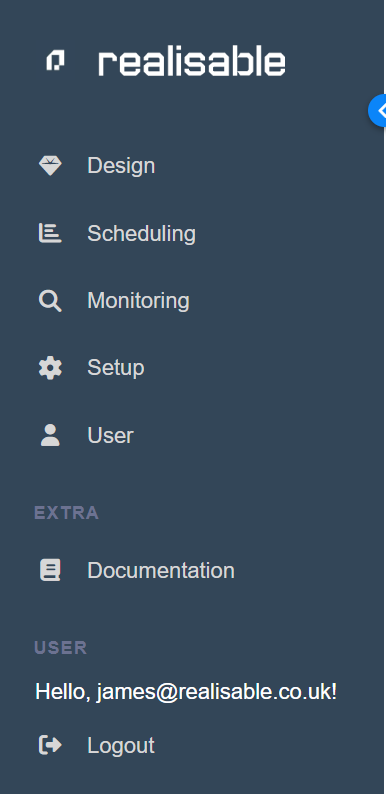
All navigation within IMan is between tabs located at the top of the active screen. All tabs and their functions are explored in detail throughout this manual.
However, to begin with, the primary tabs are discussed here.
The blue strip across the top of the main screen holds the primary navigation tabs.
left Menu
Design
Navigate to the Integration Designer - the primary screen for integration setup.
Scheduling
Integrations are scheduled or run from this option.
Note
Integrations can also be run from other methods (WebAPI, File Events, Command Line and Email Event).
Monitoring
Navigate to query the historical audit logs.
Setup
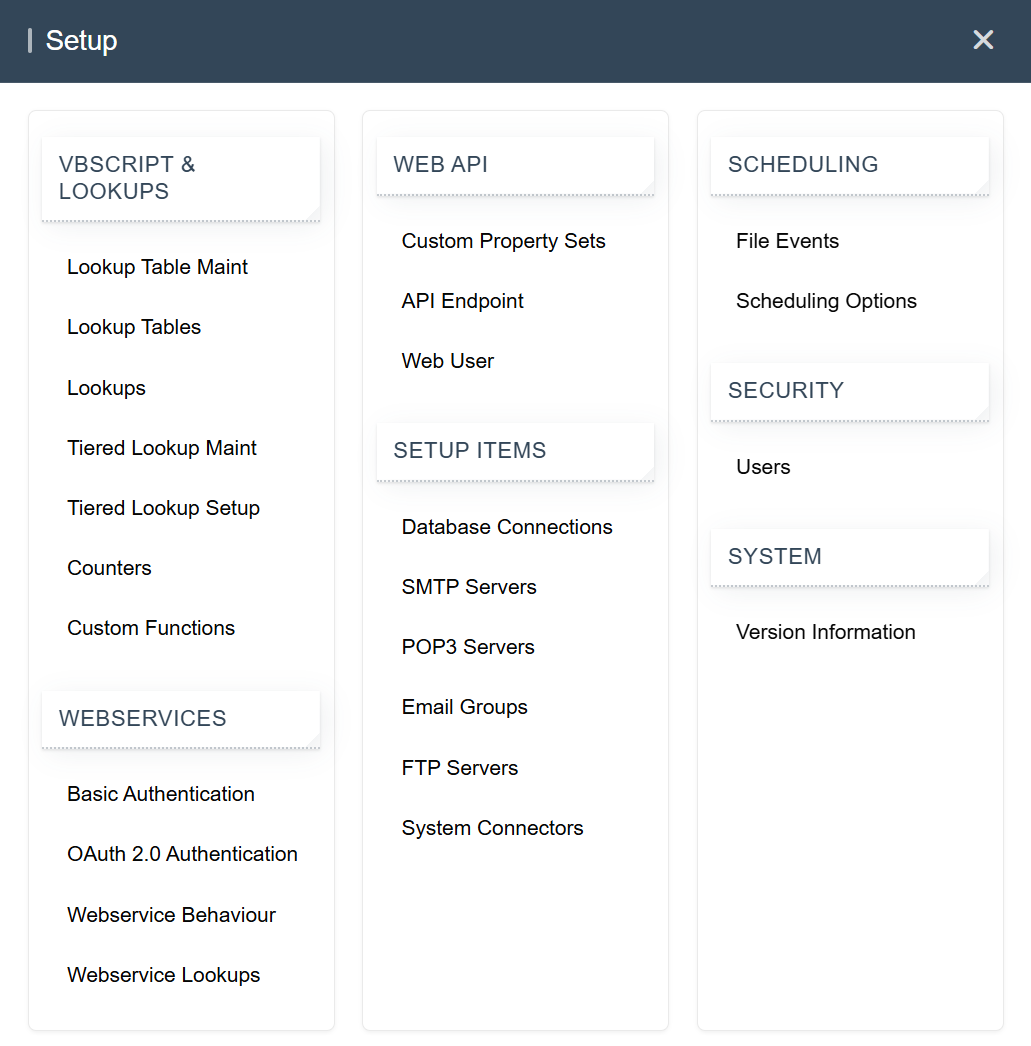
Setup will navigate to the maintenance (addition/editing/deletion) of many of the integration dependencies (Lookups, WebAPI, Database Connections, SMTP Servers, Email Groups, System Connectors, etc).
A pop-out menu will be displayed for all the setup items.
User
Current user details and password can be changed here.
Logout
Logs out of IMan immediately, without confirming.