WooCommerce Setup
Access to WooCommerce is via the REST API, in order to authenticate with the API IMan will need a Consumer Key and a Consumer Secret, these will act as username and password.
Configure REST Access
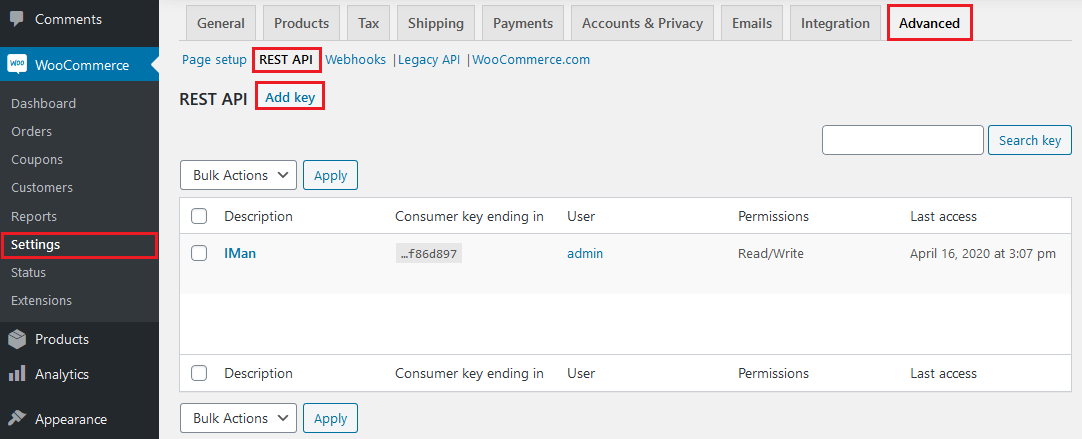
In order to grant a key and secret you must log into the WooCommerce back-end and access the settings. These are to be found in the left admin menu under WooCommerce, navigate to:
WooCommerce -> Settings -> Advanced -> REST API -> Click “Add Key”
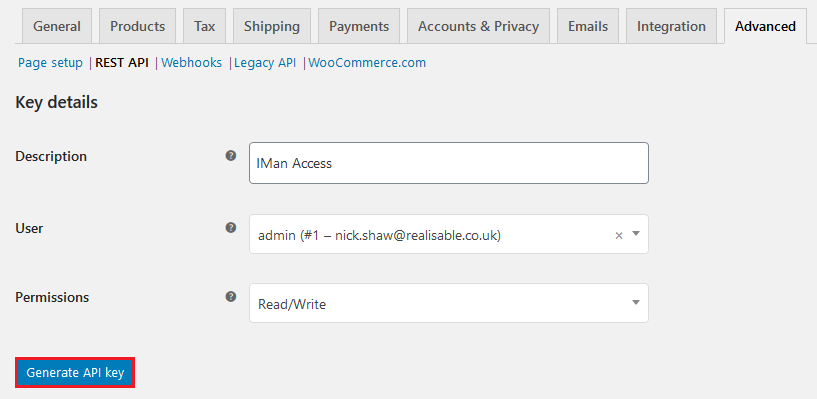
Enter the description for the key, select the user to generate the keys for. Select read or read/write (typically) dependant on your requirements.
Click “Generate API key”
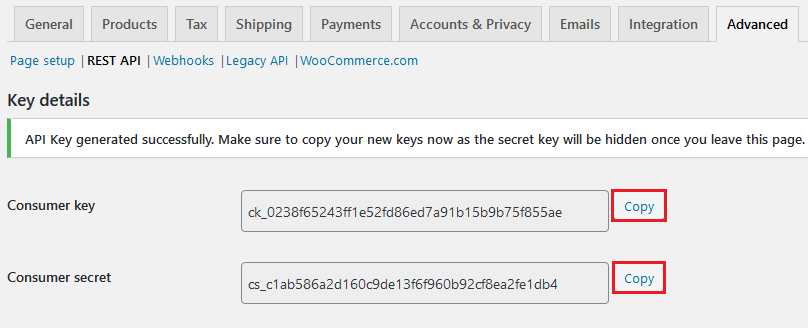
The following screen shows the generated keys, copy the key and secret and save them for later use. Keep these keys safe as they grant access to the WooCommerce server.