Select the System Connectors option from the left hand side menu.
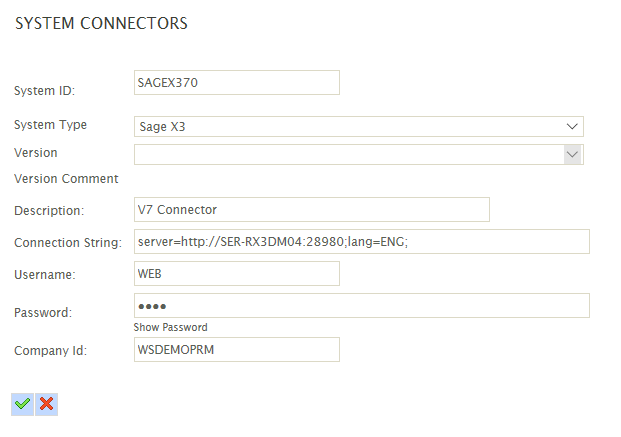
Create a new connector by double clicking the empty row at the top of the grid and enter the following details.
System ID
A unique identifier.
System Type
Select ‘Sage X3’
Version
Leave blank
Connection String
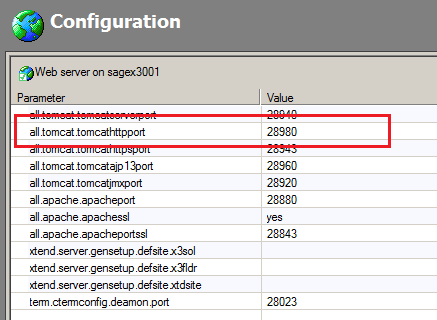
The server address and port for the X3 webservice. The port number corresponds to the all.tomcat.tomcathttpport per the webservice configuration.
It is also possible to specify the connector language (for field descriptions and where the default language ‘ENG’ is not installed on the X3 instance. A tokenised connection string n the form of:
server=<server url & port>;lang=<language code>;
For example:
server=http://SAGEX3001:28980;lang=ENG;
Username
The X3 username.
Password
The password for the X3 user.
Company Id
Set to the webservice connection pool alias (pool.def.alias) created in the previous section.
Press the Green Tick at the bottom of the grid to save the entry.