Item Batch (Rapid Web Sync)
The item batch efficiently uploads product data to Magento.
Update Operation
Insert, Update, Insert/Update
To update an existing item map a valid, existing value to the SKU field (so that it matches a SKU in Magento).
Processing Approach
The item batch integration works by IMan transparently sending to Magento batches of product data, such that it is received by the Rapid Web Sync extension. The batch processing is performed server side (Magento) by directly updating the Magento database.
A direct database update approach has been used as it is the most efficient method of processing any amount of item data resulting in almost no lock errors or Magento resource issues.
Because of this approach it is important the post import tasks are either triggered manually or automatically by the integration.
RAPID Web Sync Magento Configuration
After installing the Rapid Web Sync Magento extension there are numerous settings controlling the functioning of the extension.
It should be noted that ‘normal’ defaults will be associated when the extension is installed.
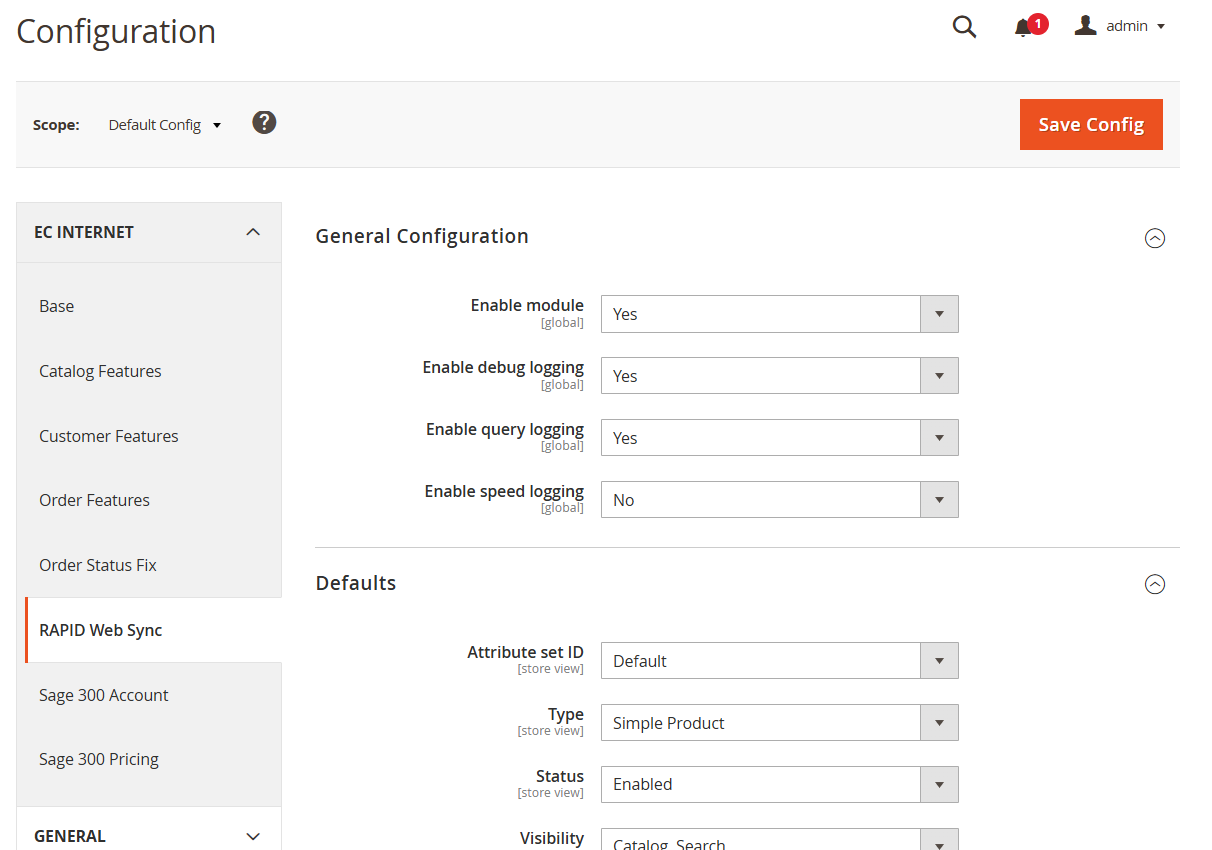
Defaults
Control basic values assigned to new items if the relevant field is not mapped.
Attributes
Control what happens when values are assigned to item attributes where the attribute is a picklist.
Category
The connector has strong support to assign items to one or more categories. These settings control how the functioning of the category assignment.
Import Mode
Specifies whether the category value provided through Item Batch upload will:
- Replace the assigned category OR
- Add the category(s) to the existing assigned categories of the item.
Assign Product to last Category Tree
This specifies how new items which are not mapped to a category will be associated with a category.
Category Delimiter
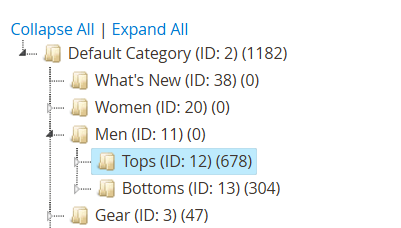
The text value to put between category values in a single category tree. For example, to assign an item to the following highted category hierarchy, with two semi-colons (;;) as the category delimiter:
;;Men;;Tops
(It should be noted the default root category is ignored).
Category Tree Delimiter
This is the character sequence to separate the ‘category’ value when assigning an item to multiple character trees/branches. Using the prior example to assign a product to both the ‘Men’s Tops’ and What’s New’ branches where the Category Tree Delimiter is a vertical bar (|):
;;Men;;Tops|What’s New
Image Settings
Control how images can be associated with items.
The connector will not upload images to Magento and these must be uploaded separately.
Related Products
Controls whether existing related products are either replaced or appended.
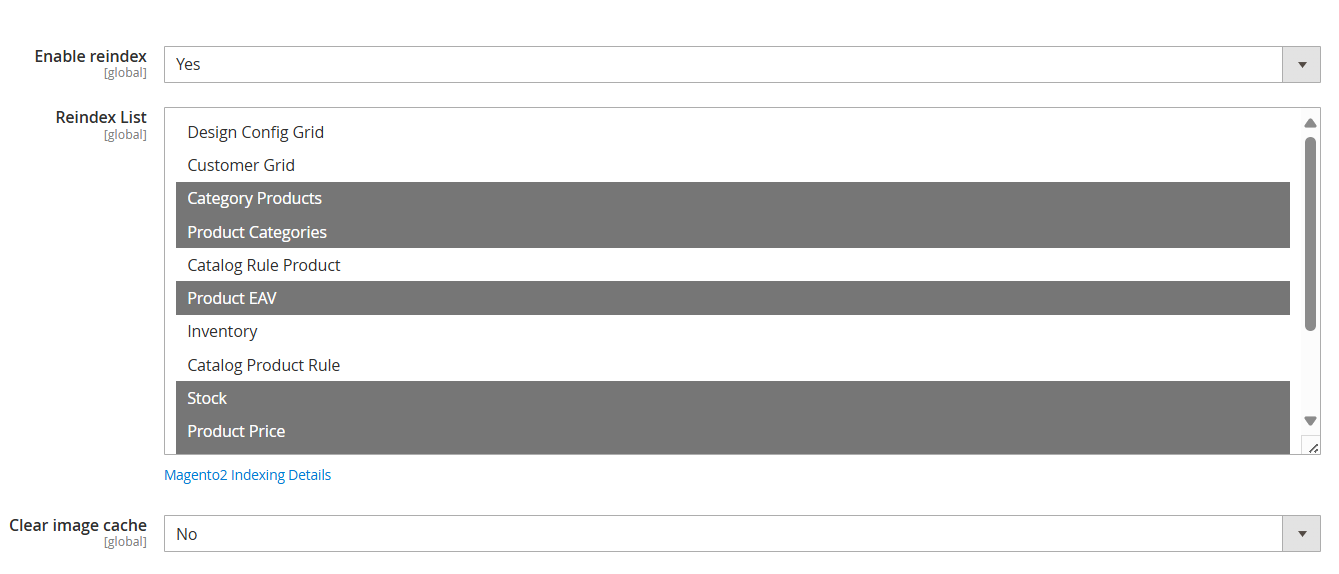
Post Import Tasks
Following all products being processed it may be necessary to trigger some/all index rebuild operations.
Field Mapping - Item
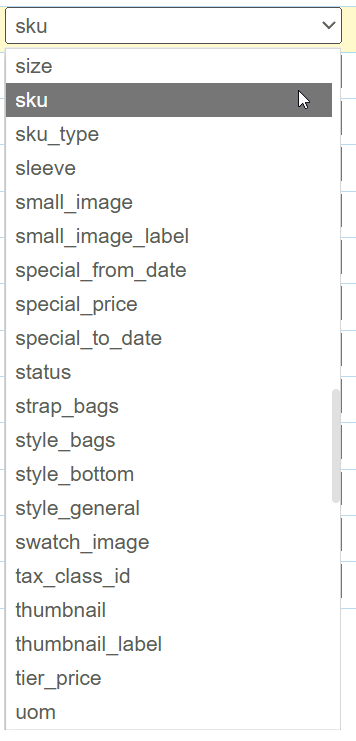
The primary mapping to create/update items is performed by setting the various fields.
It should be noted the field list is 100% dynamic and any attribute assigned to any item property set will be listed.
Per previous sections the connector:
- SKU – Mandatory – The value dictates whether an existing item is updated or a new one created.
- List Attribute Values – Dependent on the Rapid Web Sync settings invalid values for list attributes will either auto-add the new value, ignore or generate an error.
- Category – To assign the item to one or more categories ensure the value is formatted with the correct separator sets of sequences.
- Store Ids – To assign a product to multiple stores map a field containing each of the store ids separated by a comma.
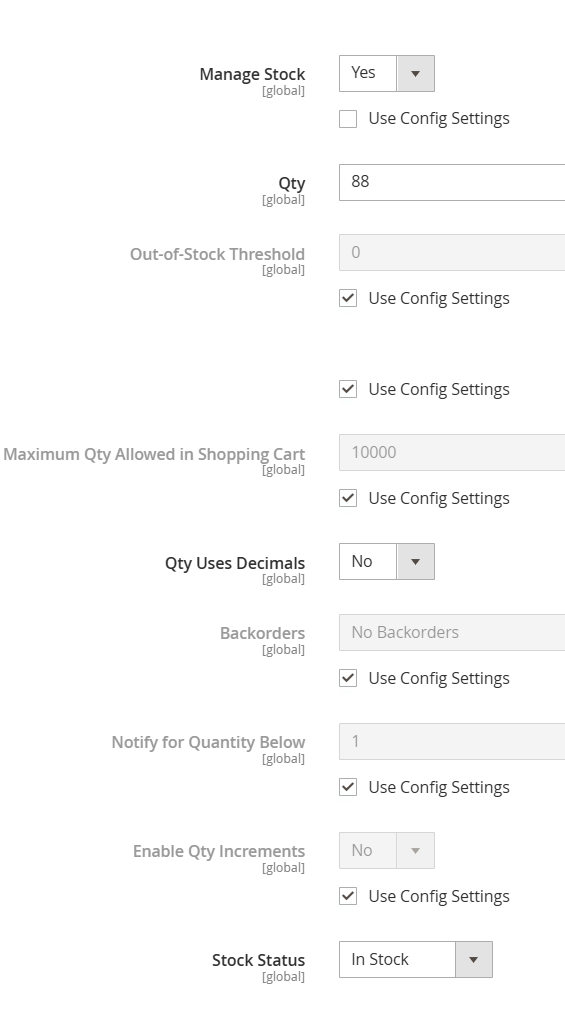
Overriding Inventory Defaults
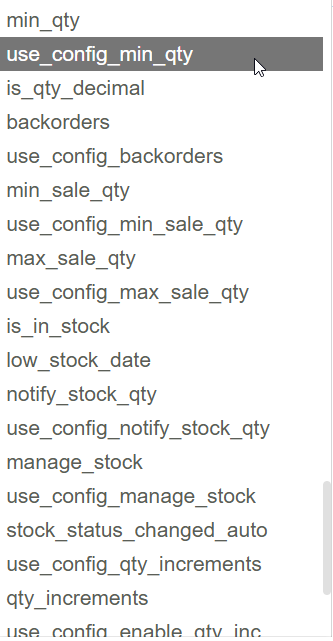
Towards the bottom of the field list are a set of fields to control the inventory handling of the product.
To override one of the values it is necessary to set the ‘use_config_xxx’ value to either false or 0 and then the corresponding value to override.
Field Mapping – Tier Pricing
It is possible to upload tier pricing to Magento.
Tier Pricing will be added/modified by comparing the ‘customer group id’ field. If there is a tier pricing record with the same ‘customer group id’ it will be added, otherwise a new record will be added.