Walmart Setup
Access to Walmart is via the REST API, in order use delegated access to allow IMan access to the marketplace.
Authorization – Marketplace – US – API Doc – Walmart Developer Portal
To delegate access to a Solution Provider, you do not need to give them your API Keys directly. You can create a separate Client ID and Client Secret to maintain your account security.
To Create An API Key
- Click My Account to log into the Developer Portal.
-
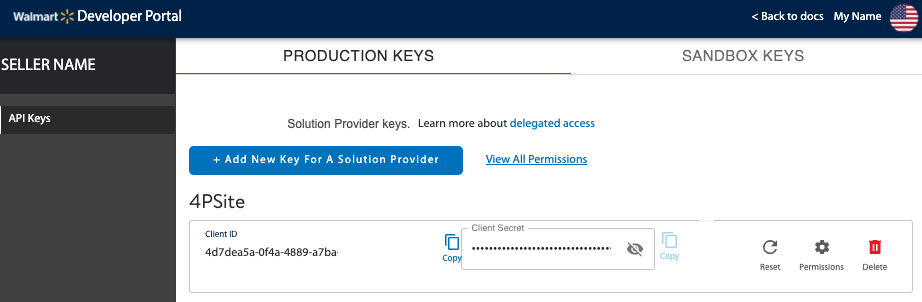
Click Add New Key For A Solution Provider to set permissions for the provider to generate a Client ID and Client Secret.
-
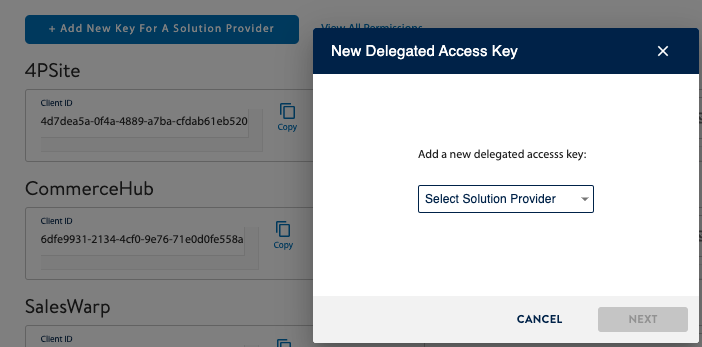
Select the Solution Provider from the drop-down list. If your Solution Provider is not listed, contact Walmart. You need to have a contract with Walmart before you can delegate access to a Solution Provider.
-
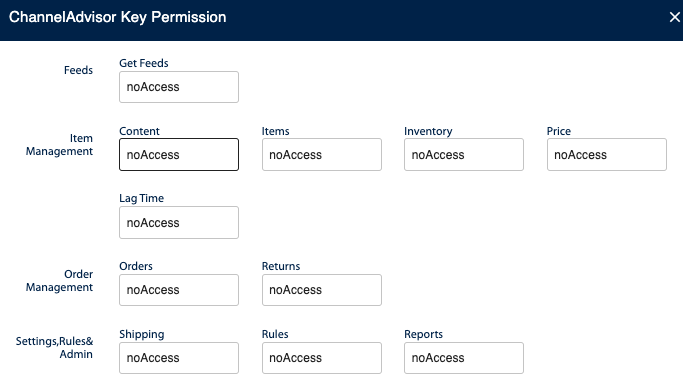
Specify specific permissions, or to take the defaults, click Submit.
-
Make a note of the the Client ID and Client Secret – these will need to be entered into username and password of the System Connector (see next section).