iman connector setup
Now that Magento is set up IMan will need to have the Magento add in installed and configured.
Steps to add a new connector to IMan can be found in the IMan documentation:
- Detach & save the zip (ECInternet.Connectors.Magento.zip) file. Right click the zip file, Properties and ensure the file is unblocked.
- Extract the contents of the zip file to \IMan\Addins
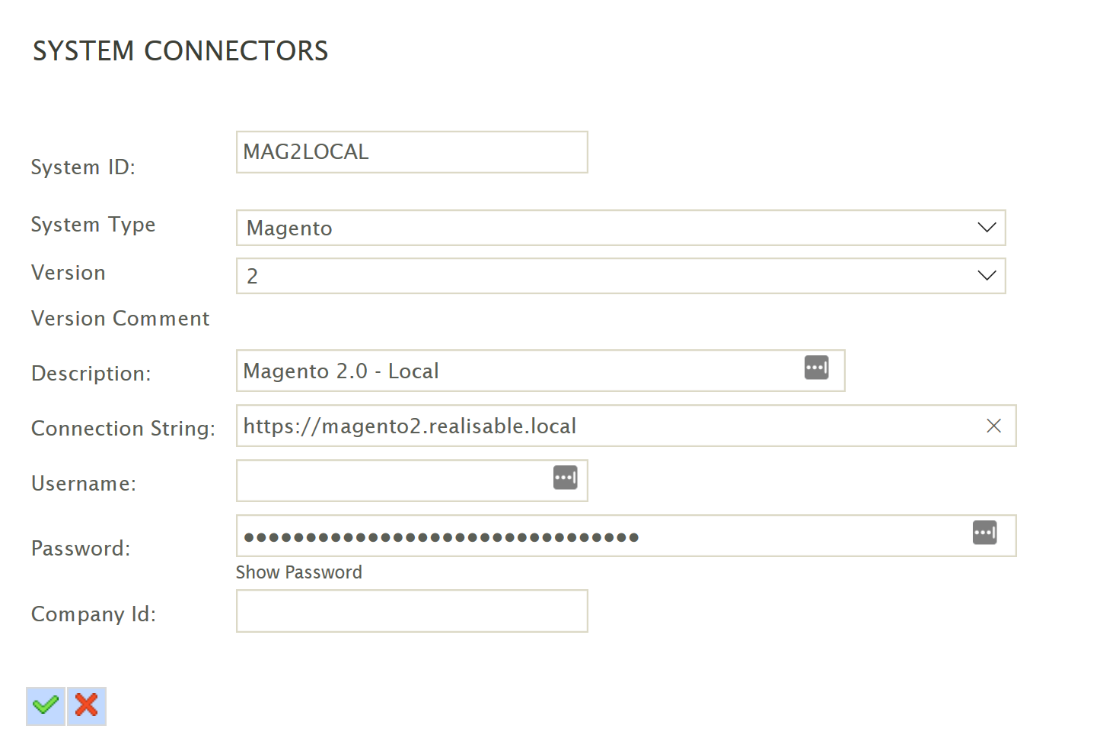
System Connector Setup
Once the connector has been installed it will need to be setup.
- Log into IMan.
- Goto Setup > System Connectors.
- Create a new connector.
- Set the System Type to Magento.
- Set the Version to ‘2’.
- Fill out the System ID and Description fields.
- Set the connection string to the url of the Magento server.
- Set the password to the Access Token from the integration activation setup.
Now the connector is set up you can test it by adding a Magento read connector to a test job.