IMan Setup
IMan will need to have a System Connector setup for the connector to use. You will need the key and the secret from the previous steps.
System Connector
Log into IMan and navigate to:
Setup -> System Connectors
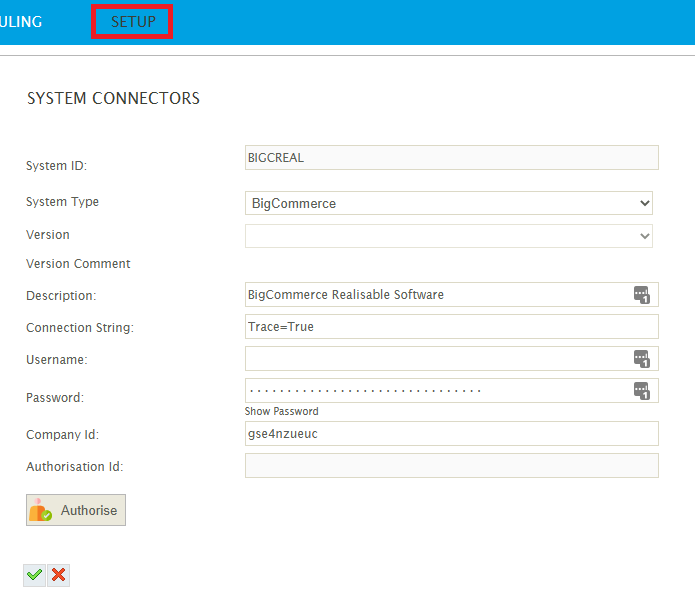
Add a new System Connector and fill out the following fields:
- System ID – A meaningful ID for the connection
- System Type - BigCommerce
- Description – A short description of the BigCommerce site.
- Connection String – Either leave empty or TRACE=True to enable tracing.
- Username – Leave empty.
- Password – The Access Token from the Store-Level API Token setup.
- Company – The store hash code.