Order Download
The WooCommerce Connector allows you to download orders from your WooCommerce site. Once you have System Connector setup as in the previous section, you can add a WooCommerce Reader to your job.
The Order Download has several options so you can refine the orders that are read from your site.
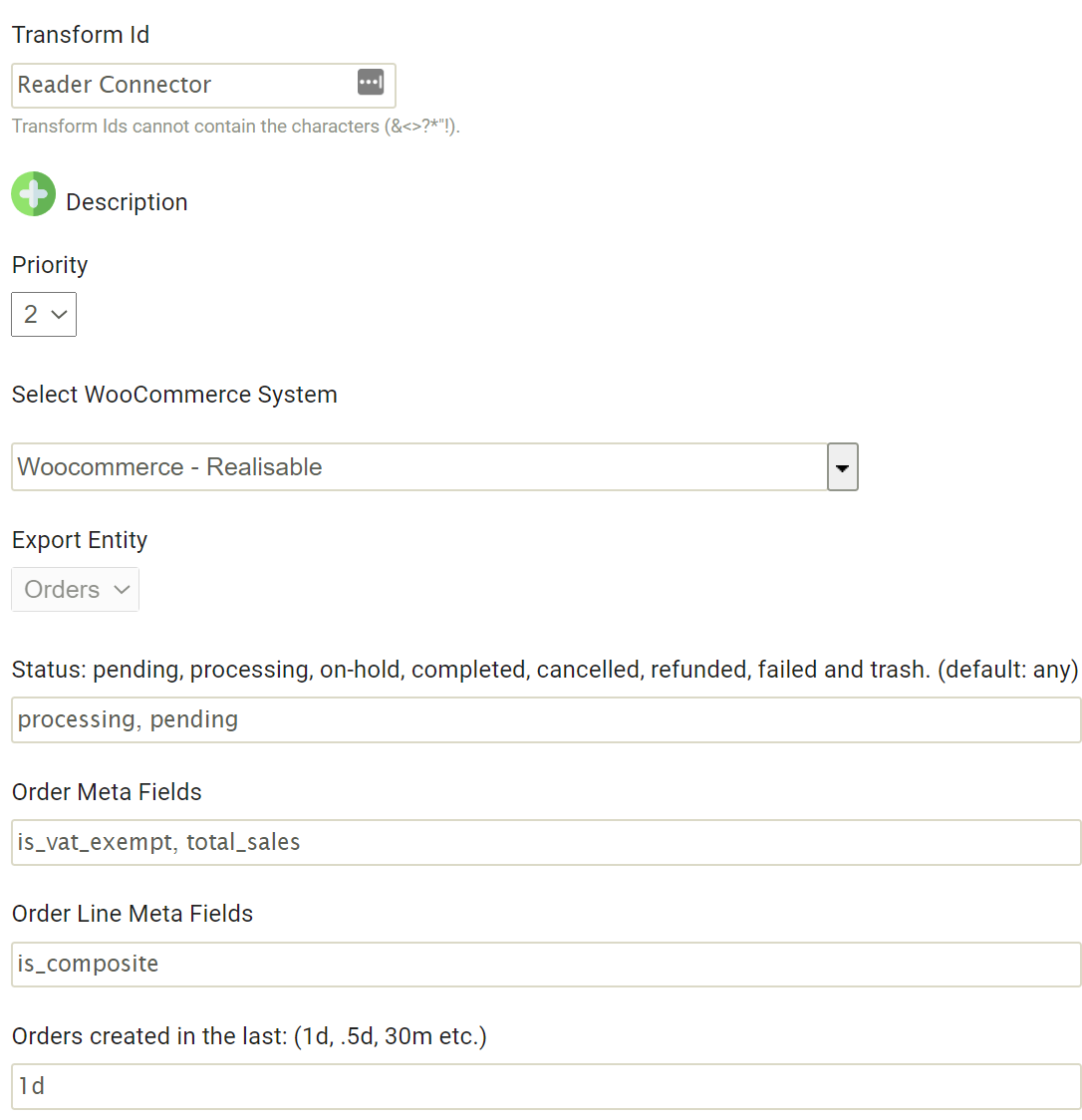
Parameters
Status:The command delimited status list to download orders from.
Order Meta Fields:The comma delimited list of any meta field names that you want to include in the order header.
Order Line Meta Fields:The comma delimited list of any meta field names that you want to include in the order detail.
Orders Created in the Last:This will limit the order downloads to any order created in the time span. You can specify a timespan by supplying a number (or a fraction) of a time unit. Valid time units are:
w = week
d = day
m = minute
Examples:
1w = 1 week
2d = 2 days
0.5d = half a day
30m = 30 minutes
Available Fields
All fields as part of the standard WooCommerce REST Order endpoint are available as fields on the connector.
Discount/Coupons
The first three discounts/coupons used on an order are listed on the header as coupon_x_<field> where x is the first, second, third coupon, and <field> are the relevant fields (id, code, discount, discount_tax) for the redeemed coupon.
Fees
The first three fees/charges attached to on an order are listed on the header as fee_x_<field> where x is the first, second, third fee/charge, and <field> are the relevant fields (id, name, amount, taxes, etc) of the fee.
Shipping
The first two shipping charges attached to on an order are listed on the header as shipping_line_x_<field> where x is the first, second shipping charge, and <field> are the relevant fields (id, method, amount, total, taxes, etc) of the shipping charge.
Header Taxes
The first two taxes/tax lines attached to on an order are listed on the header as tax_line_x_<field> where x is the first, second tax line, and <field> are the relevant fields (id, rate_code, tax_total, etc) of the tax line.
Detail Taxes
The first two taxes/tax lines attached to on an order item are listed on the detail as tax_line_x_<field> where x is the first, second tax line, and <field> are the relevant fields (id, total & subtotal) of the tax line.
MetaFields
The metafields are handled differently. The two parameters (for order header and order detail) specified on the Options screen are the added as fields header and detail respectively.