Product Inventory Levels
Shopify API
https://help.shopify.com/en/api/reference/inventory/inventorylevel#set-2019-10
Description & Use
Allows you to update inventory levels at a specific location. A sample Inventory Update follows a similar pattern to Product (Variant) updates in that:
- The Variant download is used to query all variants.
- The inventory from the ERP/Accounting solution is obtained in a Map transform via a Lookup. The Shopify Location to update is also obtained here (see below).
- The inventory is updated using the Product Inventory update (described on this page).
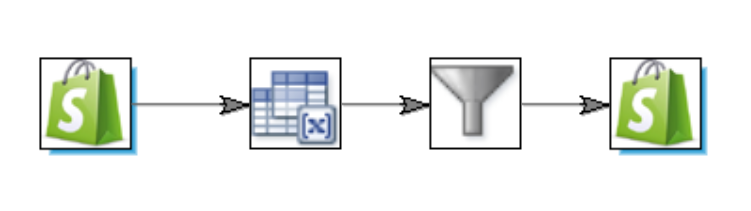
Obtaining the Shopify Location
To update the available inventory at a location you need to know which location to update via the location's id.
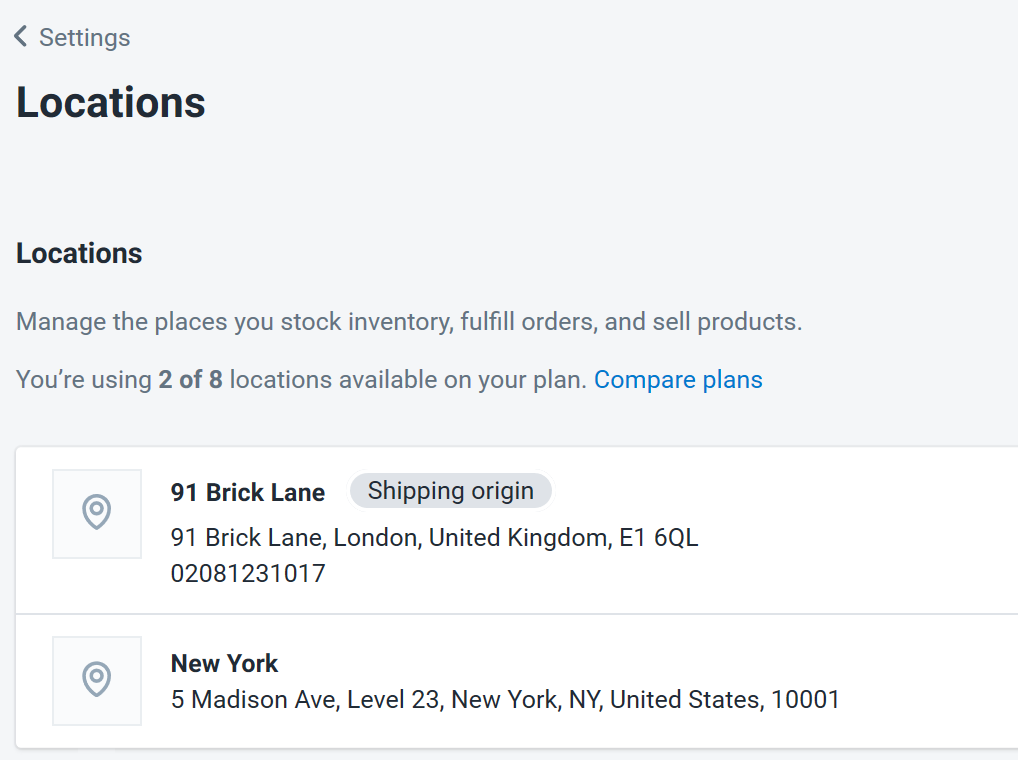
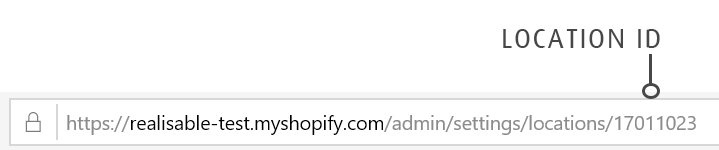
There are two means to identify each location's id:
- By clicking on the location and finding the id via its url.
- Via a Lookup - The lookup queries the Shopify Locations API via the Lookup function to find the id of the 'New York' location.
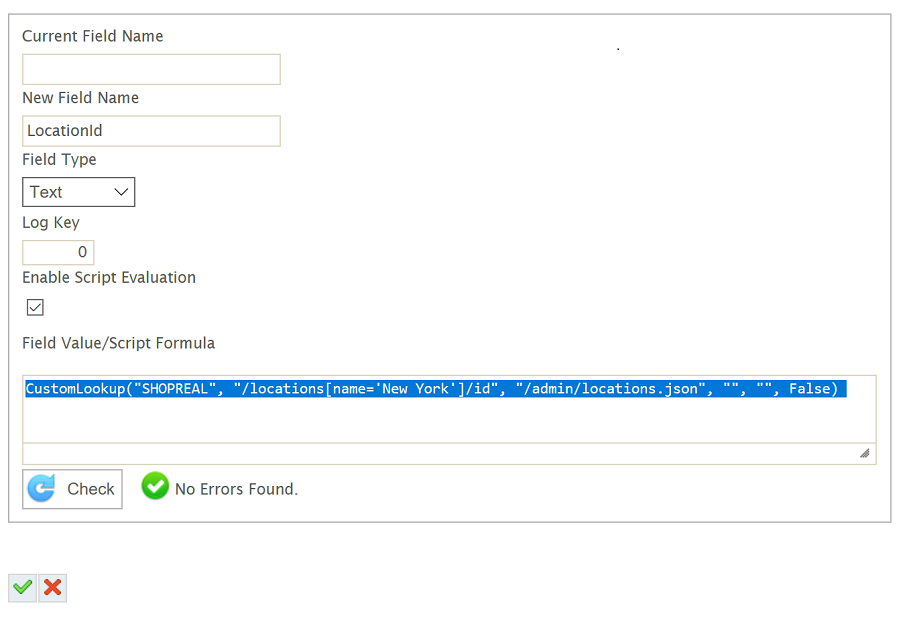 CustomLookup("SHOPREAL", "/locations[name='New York']/id", "/admin/locations.json", "", "", False)
Update Mode
Insert only (for update)
Writeback Fields
- id
- The Shopify assigned product id.
- variant_id
- The Shopify assigned to the default variant.
LOcation Handling
When a new product is created a primary variant is created. To update an existing product both the product id and variant_id fields must both be specified otherwise a new variant will be created.