IMan System Connector Setup
This page describes the System Connector for Amazon Marketplaces and steps required to authenticate IMan with Amazon Seller Central.
Note
You must create a System Connector for each Amazon Marketplace you wish to integrate.
- Log into IMan
- Go to the Setup tab > System Connectors
-
Double click the empty row at the top of the grid to create a new entry.
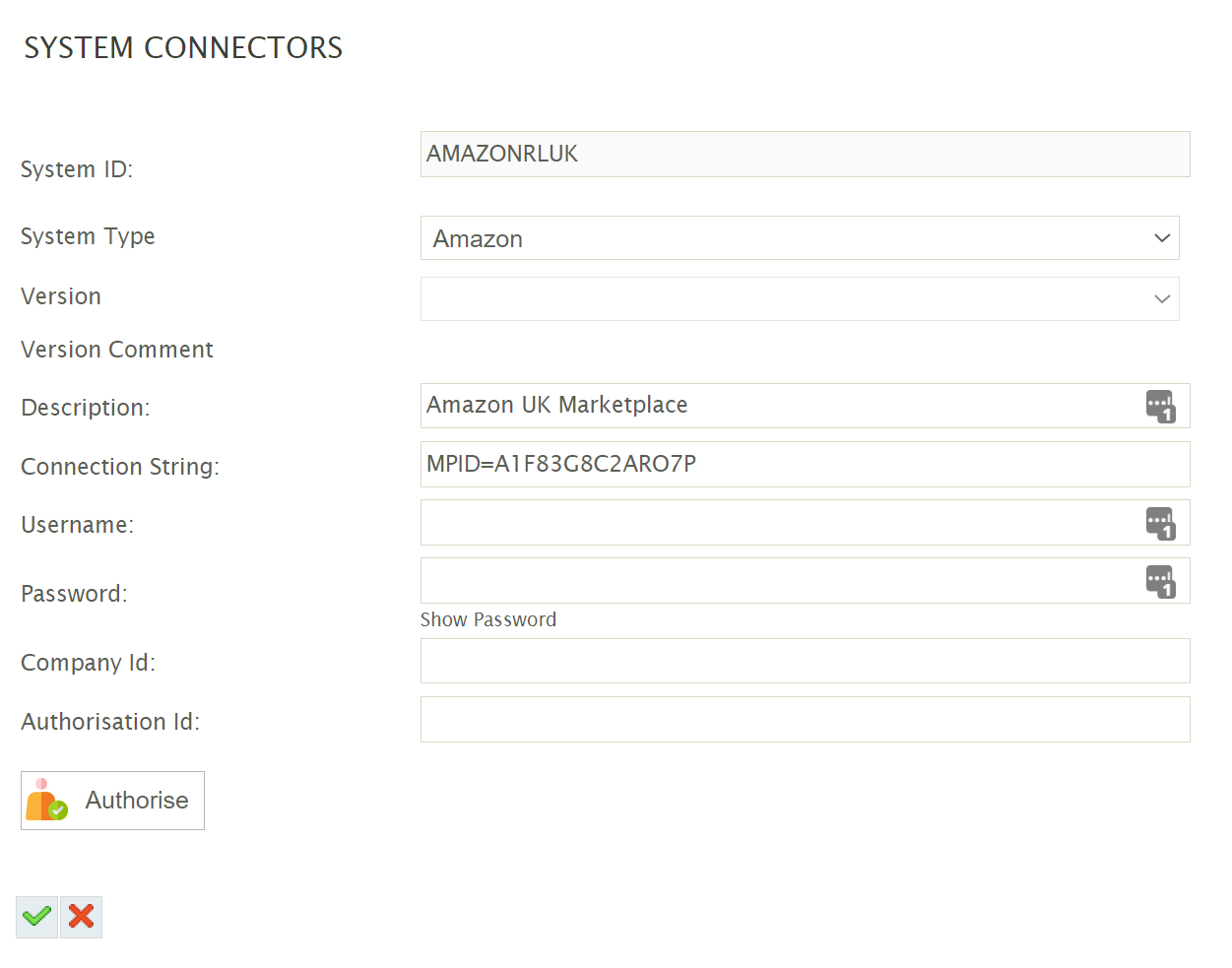
- System ID
- Can be any non-blank value.
- System Type
- Select Amazonfrom the drop down. If Amazon is not present in the drop down, try:
- Pressing Restart Services in the IMan Admin Console.
- Check \IMan\Debug\CustomAddinLoadLog.log for any errors or messages.
- Select Amazonfrom the drop down. If Amazon is not present in the drop down, try:
- Description
- A description for the connection.
-
Connection String - The System Connector connection string has a number of optional settings; each is semi colon delimited.
The resulting trace file will be written to: \IMan\Debug\Amazon.txt-
MPID (Mandatory)
The Amazon Marketplace ID. Please see the table below for the relevant marketplace. -
TRACE (Optional)
For debug purposes tracing can be enabled to write out the outgoing calls and responses made from IMan to Amazon- True
To enable tracing. - False
To disable tracing or remove the value altogether.
- True
-
SkipReportAck (Optional)
- When used with the report download this will stop reports from being acknowledged on download.
It is recommended that this be set to “True” during the design time of a job, the connector will only download unacknowledged reports.
- When used with the report download this will stop reports from being acknowledged on download.
-
- Username
- Leave Empty
- Password
- Leave Empty
- Company Id
- Leave Empty
Marketplace IDsRegionAmazon MarketplaceMarketplace IDNorth America BrazilA2Q3Y263D00KWCCanadaA2EUQ1WTGCTBG2MexicoA1AM78C64UM0Y8USATVPDKIKX0DEREuropeBelgiumAMEN7PMS3EDWLEgyptARBP9OOSHTCHUFranceA13V1IB3VIYZZHGermanyA1PA6795UKMFR9IndiaA21TJRUUN4KGVItalyAPJ6JRA9NG5V4NetherlandsA1805IZSGTT6HSPolandA1C3SOZRARQ6R3Saudi ArabiaA17E79C6D8DWNPSpainA1RKKUPIHCS9HSSwedenA2NODRKZP88ZB9TurkeyA33AVAJ2PDY3EVUKA1F83G8C2ARO7PUnited Arab EmiratesA2VIGQ35RCS4UG 4. Click the Authorise button to initate the authentication with Amazon. 5. Another window will open, prompting to confirm the marketplace. Press the Authorise button.
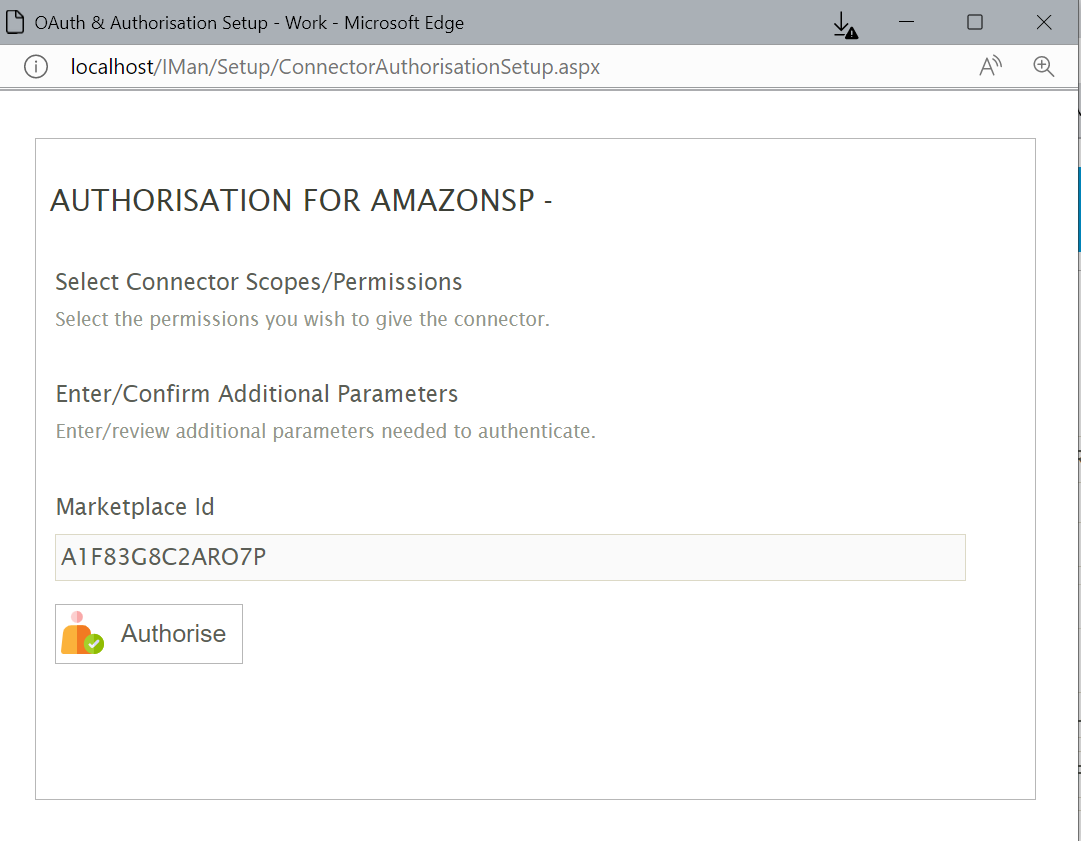 6. After a small period you will be redirected to Amazon, where you will be asked to login to your Amazon Seller Central account.
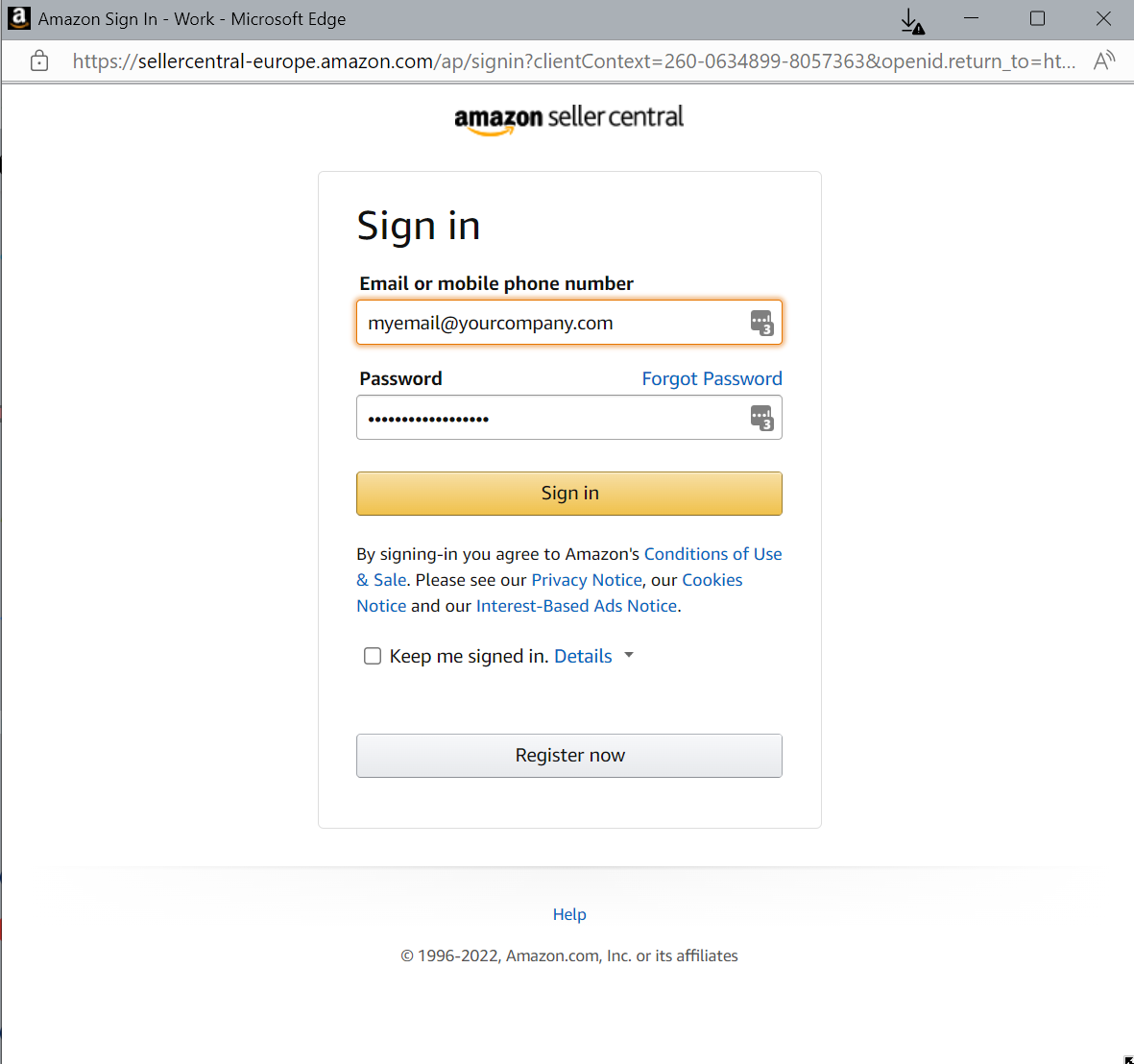 7. You may be prompted to select the marketplace you wish to login to. It is important to select the marketplace corresponding to the marketplace specified in the connection string of the System Connector setup.
8. Confirm access priveleges, by check the tick box at the bottom of the prompt and then clicking the Confirm button.
7. You may be prompted to select the marketplace you wish to login to. It is important to select the marketplace corresponding to the marketplace specified in the connection string of the System Connector setup.
8. Confirm access priveleges, by check the tick box at the bottom of the prompt and then clicking the Confirm button.
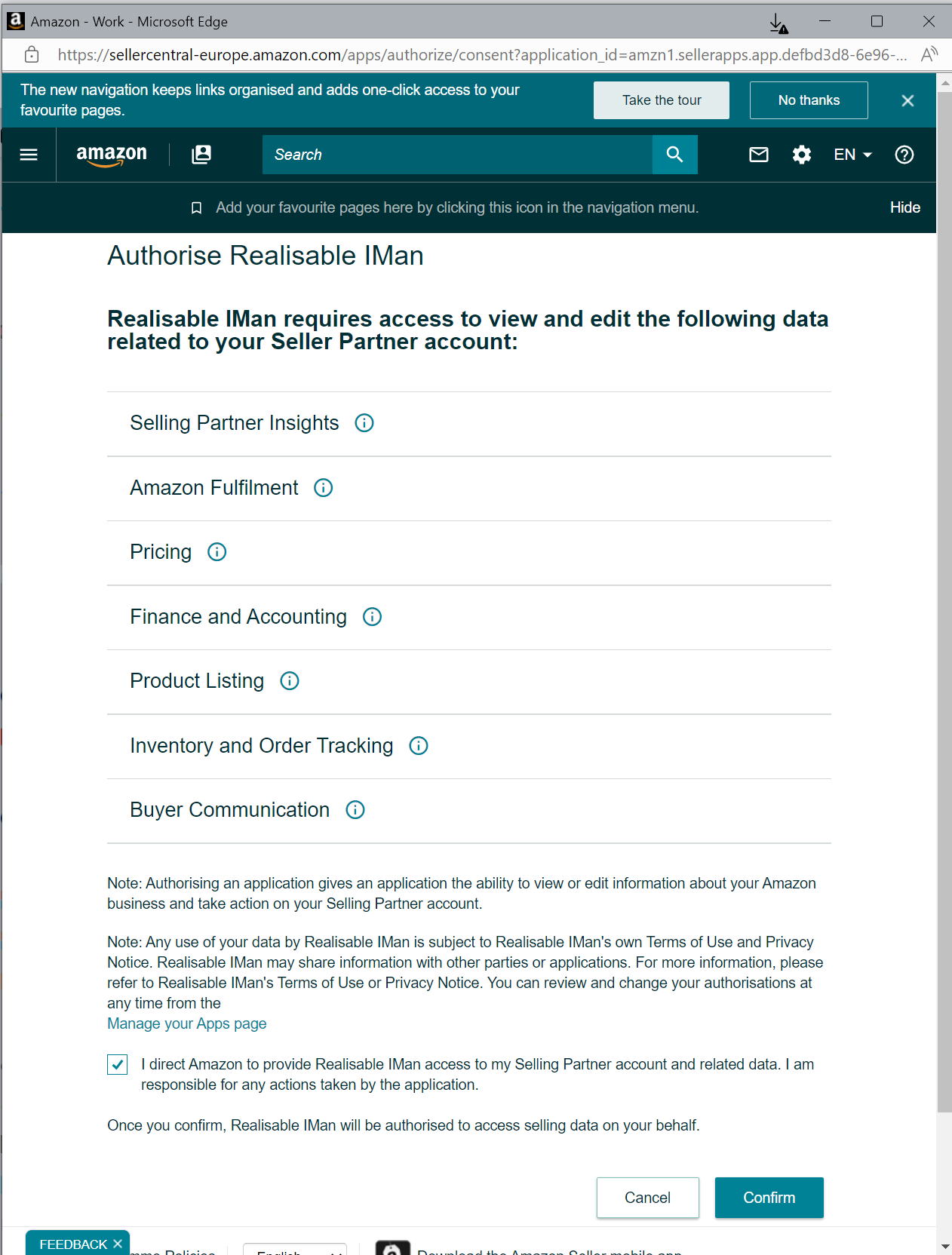 9. After a short amount of time, you will be redirected back to the IMan where either a (successful) confirmation is shown.
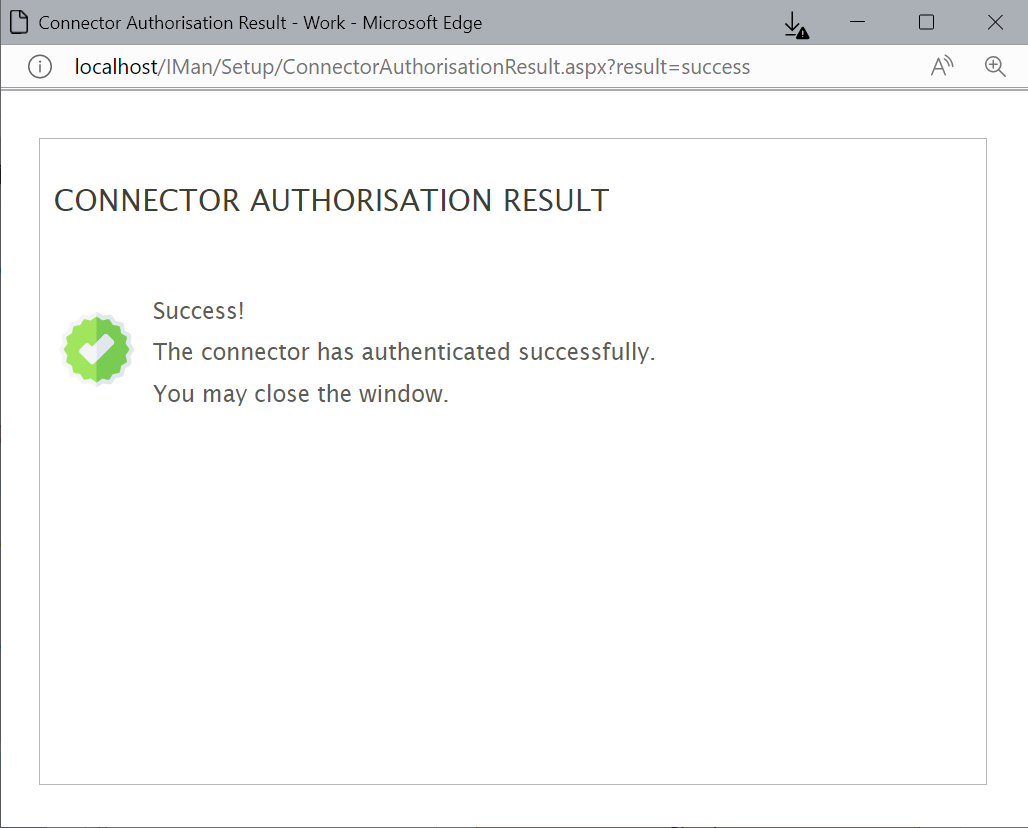 10. Close the screen and press the Green tick on the System Connector page to save the entry.
11. Repeat these steps for each marketplace you wish to trade with.
10. Close the screen and press the Green tick on the System Connector page to save the entry.
11. Repeat these steps for each marketplace you wish to trade with. - System ID