Querying Acumatica Entity / Objects
IMan can query Acumatica objects directly.
- The full object with hierarchical relationships. I.e. A Sales Order with Order Lines and Payments.
- Is slower and will typically consume may more API calls than a flat Generic Inquiry.
Options Tab
Export Entity
All object / entities are prefixed with 'GET' followed by the object name.
Filter Records Expression
The expression here allows you to pass values to the Parameters defined on the Generic Setup.
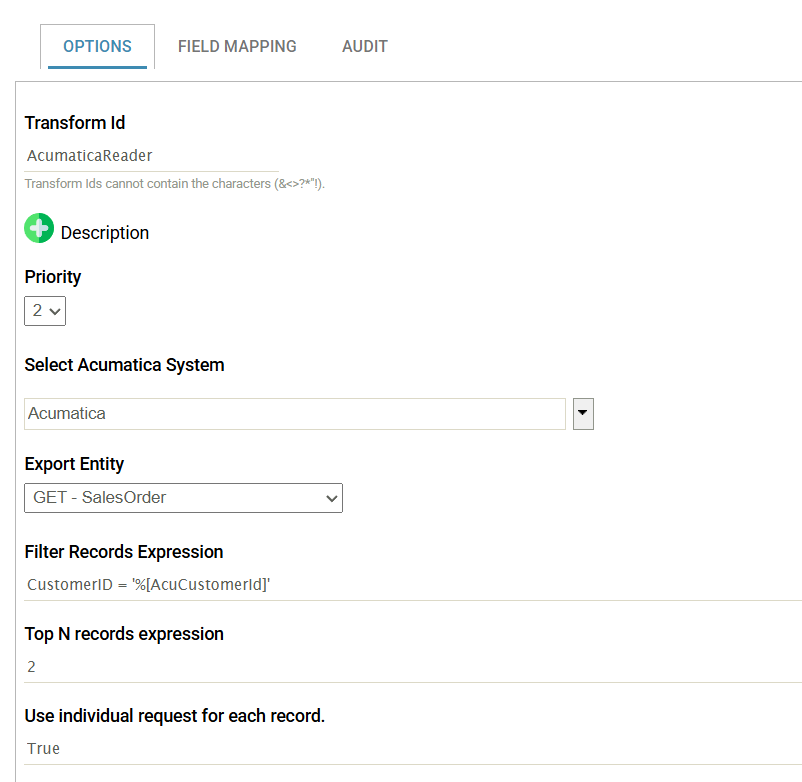
The filter supports the following operands: =, <> (not equals), >=, >, <= and <
Multiple Parameters
Multiple parameters can be specified by and-ing each parameter. For example:
CustomedID = 'JOSHWINK' And CustomerClass = 'ZYX'
Parameterising from Incoming Data
It is possible to dynamically set the values of the parameters by mapping an incoming transform to the Acumatica reader.
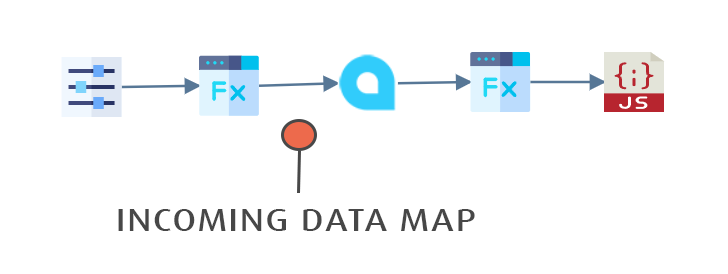
For example:
CustomerID = '%[OrderNumberStart]
If the example incoming IMan fields were CustomerID
Top N Records Expression
Returns on the first X number of records.
Use Individual Request for Each Record
When the value is True each record is retrieved individually.
This allows you to retrieve the entire record to overcome the BQL Delegate error.
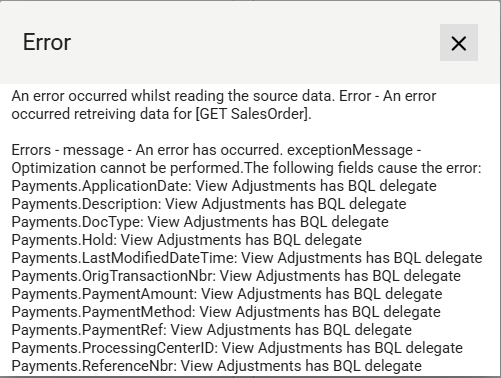
BQL Delegate Error
When retrieving records objects the following error can be generated.
To resolve the issue:
- Deselect the fields and/or child transactions listed in the error message (assuming they are not required).
- Enable 'User Individual Request for Each Record'
Field Mapping Tab
The field mapping tab allows you to select which fields to include in the resultant dataset.
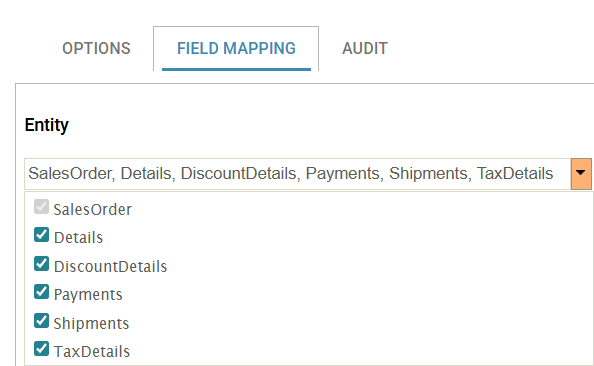
Entity
The Primary Entity and any children are listed on the drop down. Apart from the top-level entity can be removed from the dataset by selecting it.
Grid Edit Button
Click to change the grid into edit mode.
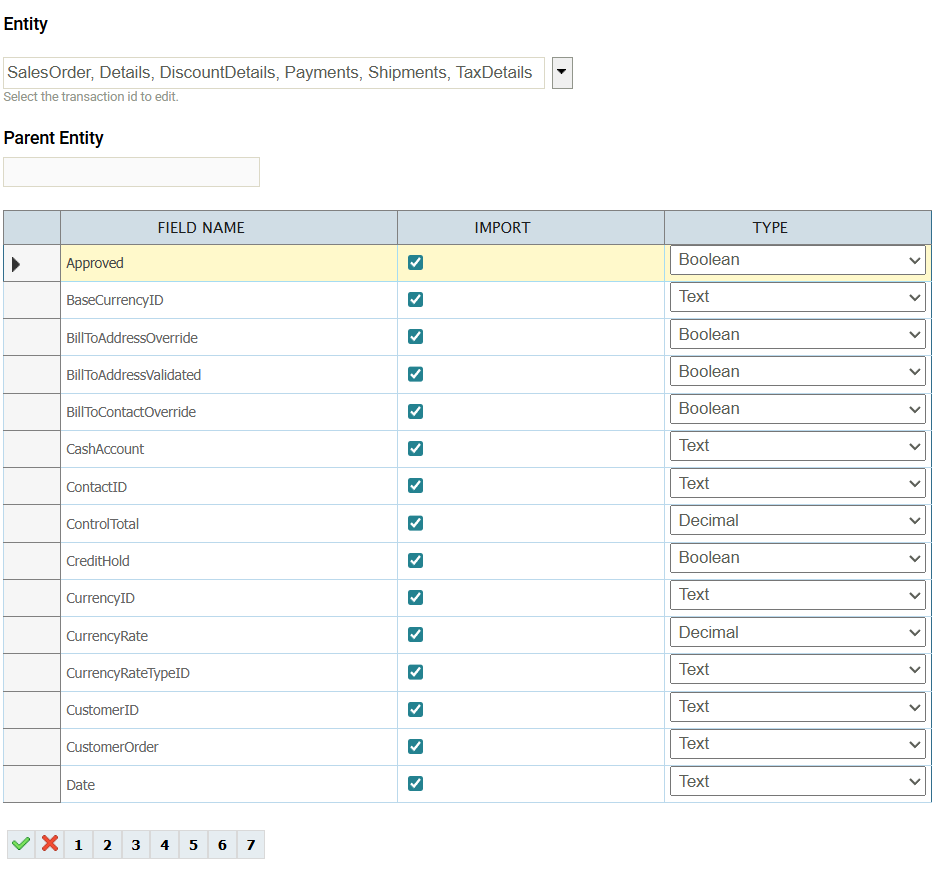
When in edit mode selecting/deselecting the Import field will include/exclude the field from the resultant dataset.
Nested Fields, Attributes and Custom Fields
The fields listed on each entity will include:
- Nested Objects Fields - Are displayed in the form of the [outer property name].[nested field name].
The screenshot below shows the BillToContact, Commissions, FinancialSettings nested fields.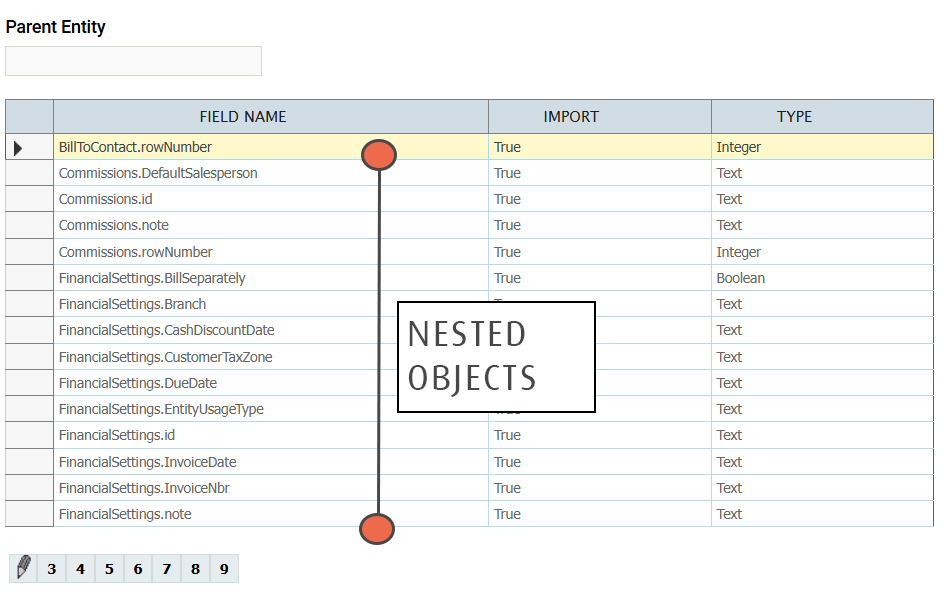
- Attributes - Are displayed at the last pages of the field list in the custom fields have ATTRIBUTES followed by the Attribute ID.
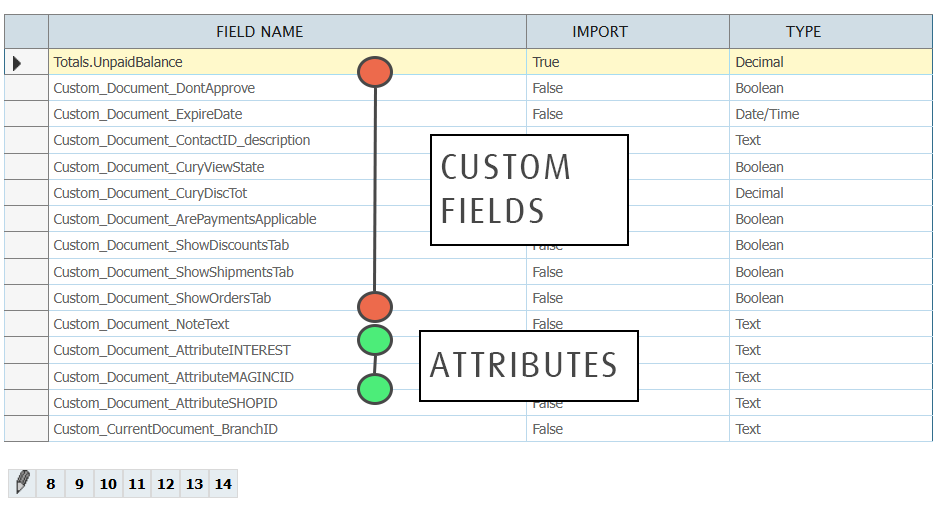
- Custom Fields - Are displayed at the end field list where each custom field is prefixed with 'Custom_'.