IMan System Connector Setup
Connection and credentials to Acumatica are defined through the System Connector setup.
System Connector Setup
The System Connector will hold the remaining part of the Acumatica.
- Log into IMan and go to the Setup tab, and click on the System Connector setup menu option.
- Add a new connector and fill out the relative fields.
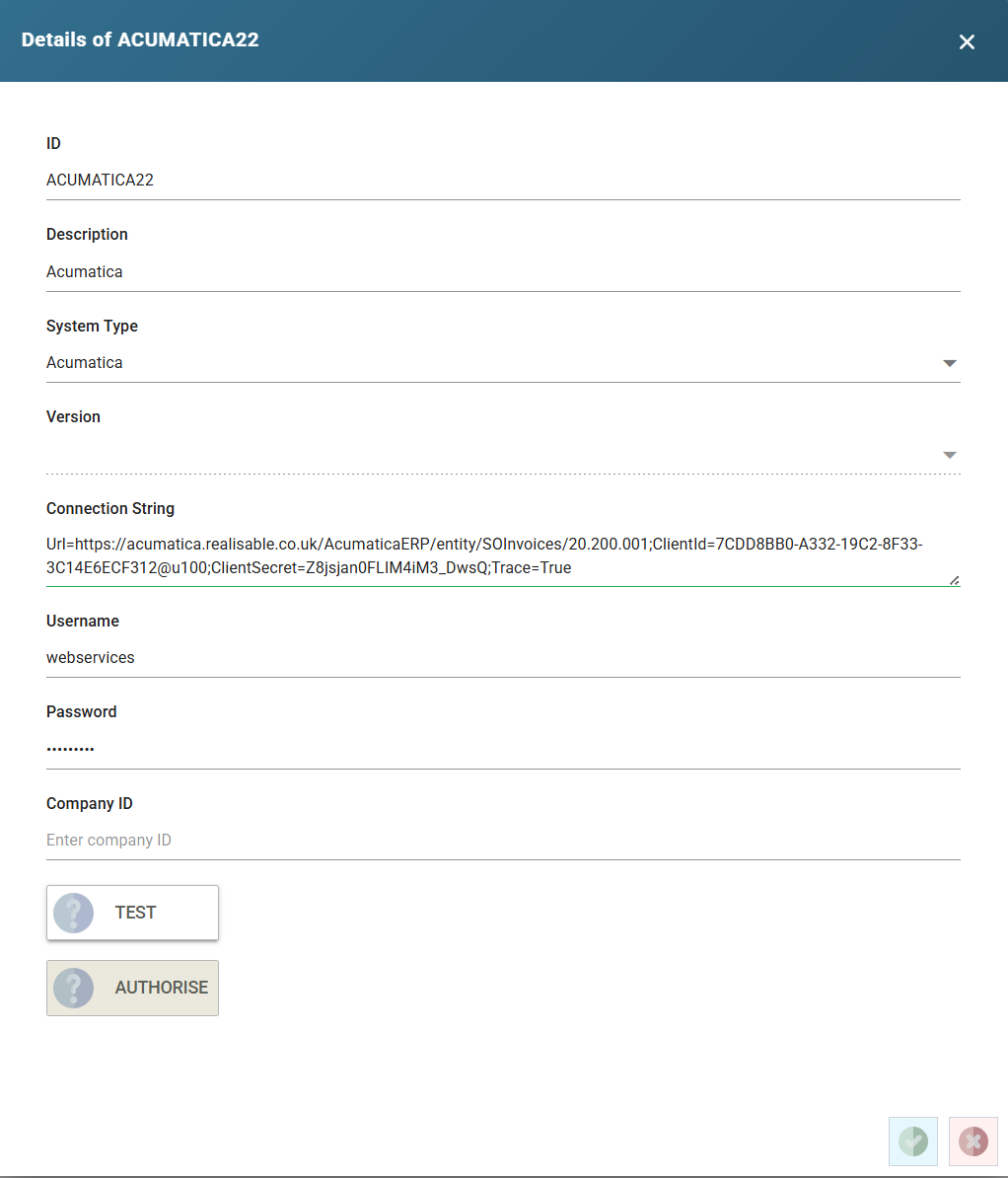
- System ID
- A unique value.
- System Type
Acumatica
- Description
- A description for the connection.
- Connection String
- The Connection string is key=value set of pairs where each key/value pair is separated by semi-colons.
- If integrating with the top-level location, this can be left empty. The connection string is made up of several key/pair values consisting of: the webservice endpoint URL, the client Id, Acumatica company, Client ID and request trace indicator.
- Each key/value pair is represented with the Key Name and equals sign and the corresponding value. Each key/value pair is separated by a semi-colon.
- Url=https://acumatica.realisable.co.uk/AcumaticaERP/entity/SOInvoices/20.200.001;ClientId=7CDD8BB0-A332-19C2-8F33-3C14E6ECF312@u100;ClientSecret=Z8jsjan0FLIM4iM3_DwsQ;Trace=True
- Url – The full Endpoint Url including the Endpoint Name and Endpoint Version.
- ClientId – A combination of three values: the Client ID from the Connected Application setup; an @ symbol; and the company Id.
- ClientSecret – The Value from the Shared Secret of the Connected Application Setup.
- Trace – Either True or False (to indicate whether to write a request trace). This key/value pair is optional.
- The resulting trace file will be written to: \IMan\Debug\Acumatica.log
- Username
- The Acumatica user.
- Password
- The password corresponding to the Acumatica user.
- Company Id
- Empty