Acumatica Setup
This page describes the various Acumatica setup and security considerations. The setup consists of:
Once the Acumatica setup is complete continue to the IMan System Connector Setup.
Connected Application Setup
- Login to the Acumatica, go to the Integration Menu, then Connected Applications.
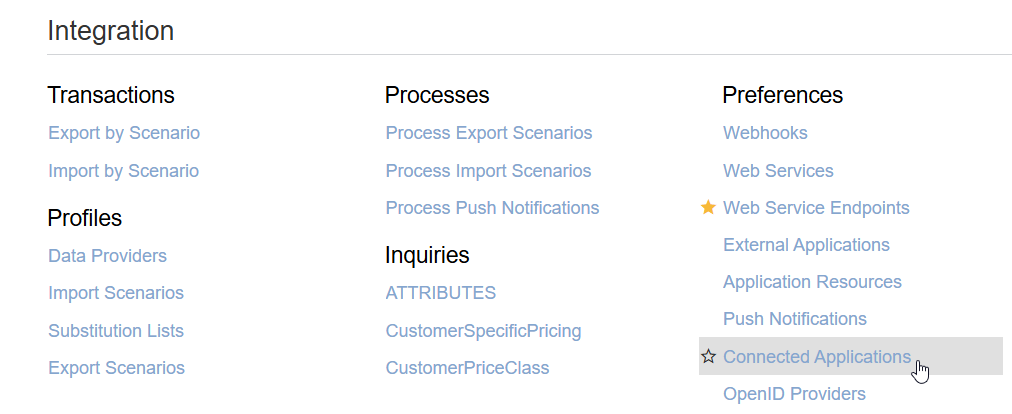
- Create a new Connected Application – set the OAuth 2.0 Flow to Resource Owner Password Credentials.
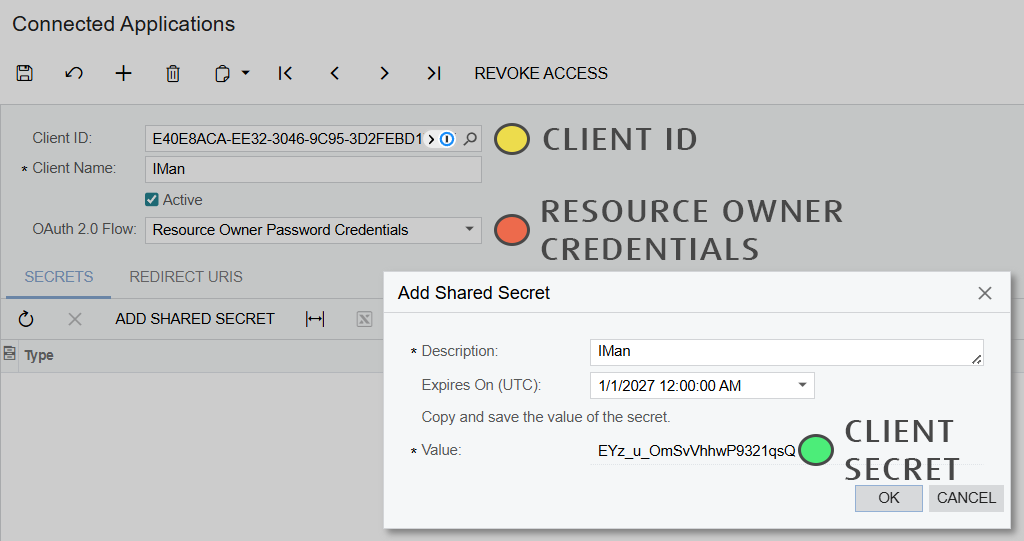
- Click ‘Add Shared Secret’ – Set the Expiry to sufficiently far enough in the future, note/copy the ‘Value’, press OK.
- Please Save.
- Note the generated Client ID & Client Secret.
Attributes Generic Inquiry
In order to obtain the attribute setup for the different endpoints it is necessary to create a new Generic Inquiry - which will be exposed to webservices.
- Create a new Generic Inquiry.
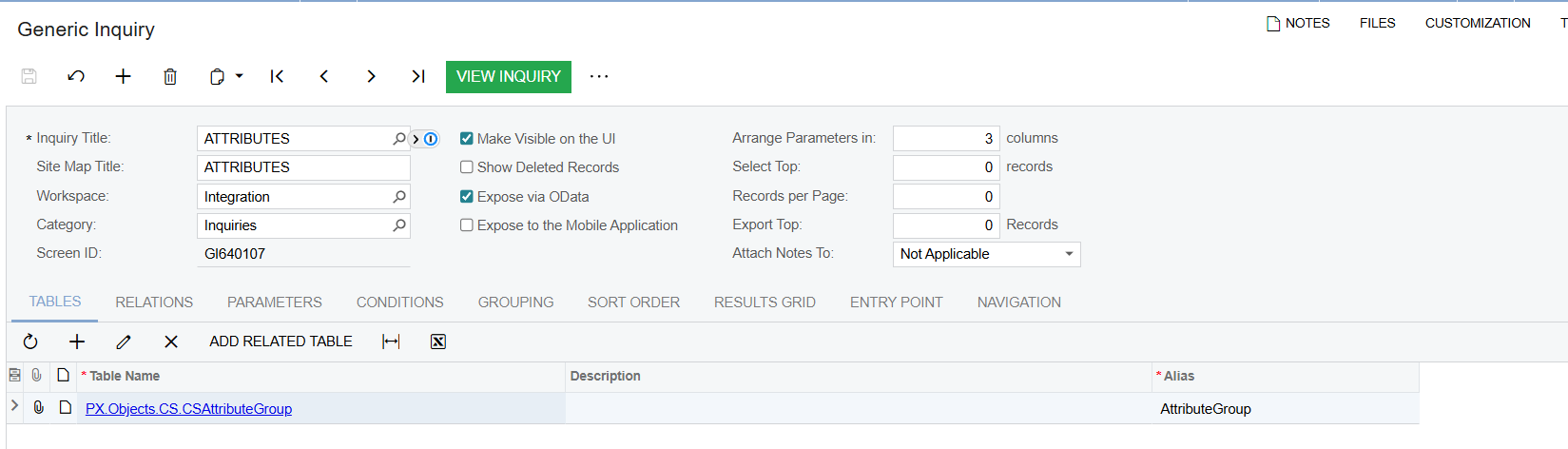
- Inquiry Title
- Must be ATTRIBUTES (note the capitalisation)
- Make Visible on the UI
- Checked
- Expose via OData
- Checked
- Tables
- Add the single 'CSAttributeGroup' table.
- Inquiry Title
- Click on the Results Grid.
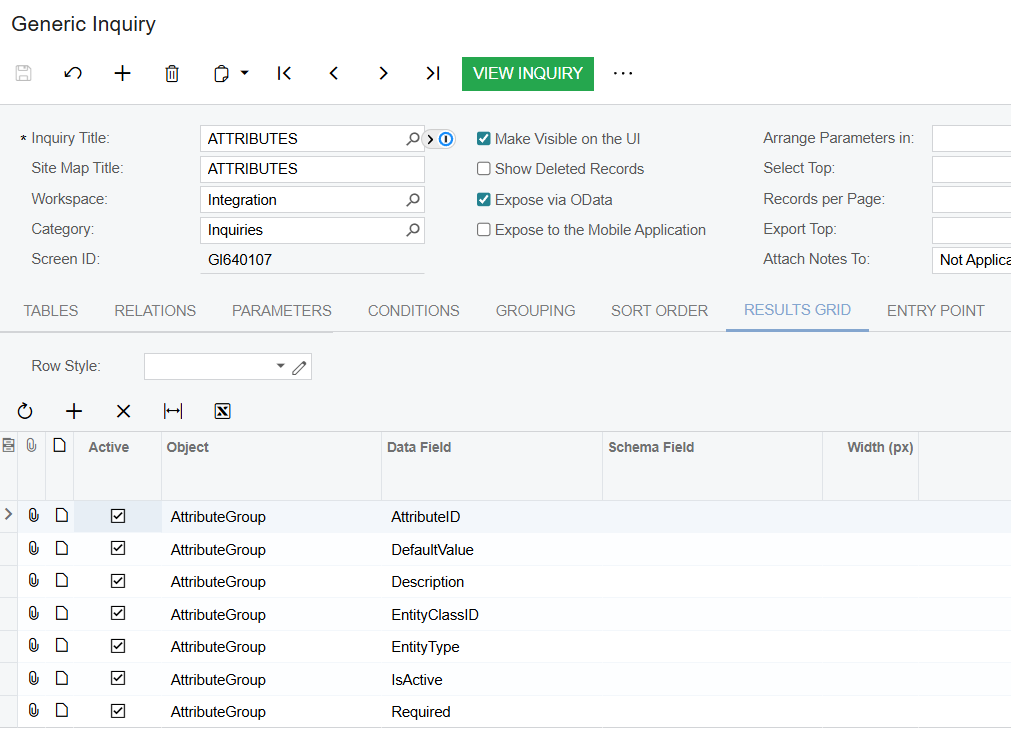
- Add the following fields:
- AttributeID
- DefaultValue
- Description
- EntityClassID
- EntityType
- IsActive
- Required
- Add the following fields:
Webservice Endpoint
- Go to Integration menu, then Webservice Endpoints.
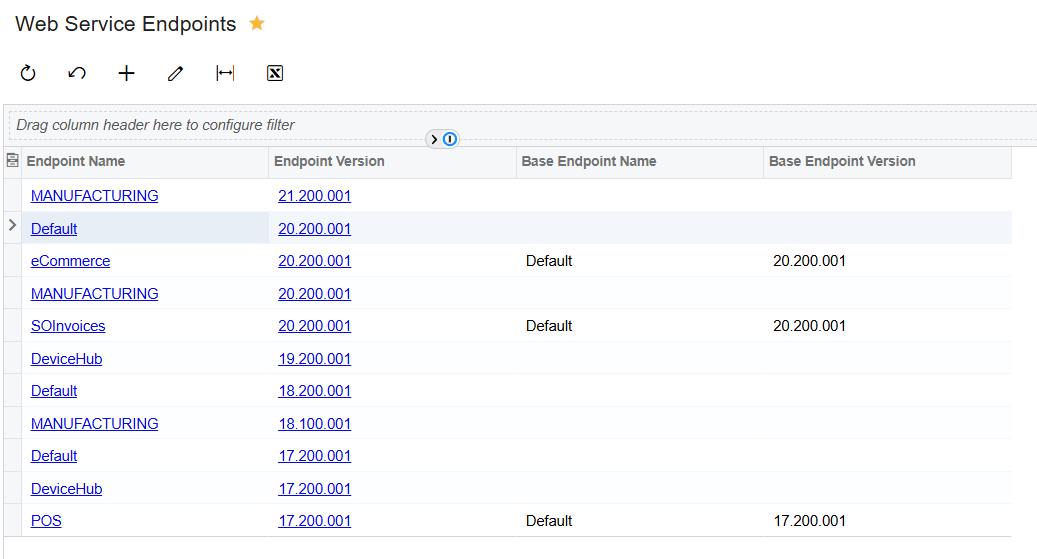
- Select the base (most endpoint rich) endpoint. Then press the Extend Enpoint button at the top of the screen.
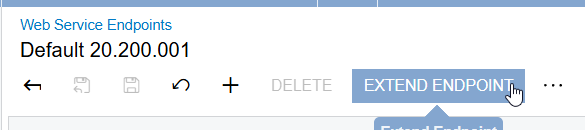
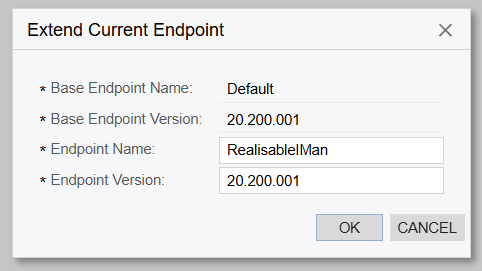
- Enter a name and a version and press OK.Both values will be need to be noted as they are used in the URL.
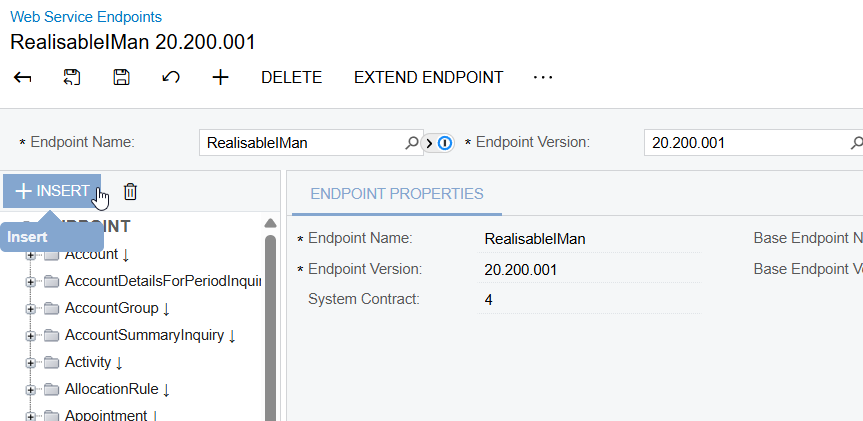
- Add the ATTRIBUTES Generic Inquiry. Press the Insert button at the top of Endpoint list.
- Search for the ATTRIBUTES Generic Inquiry, enter 'Attributes' as the object name, press OK.
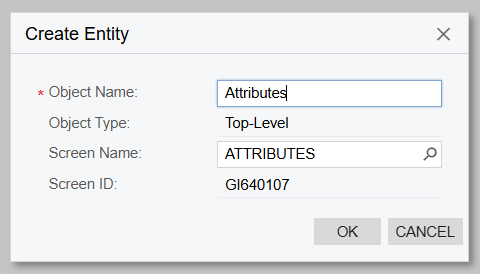
- Press the Save button at the top to create/save the endpoint.
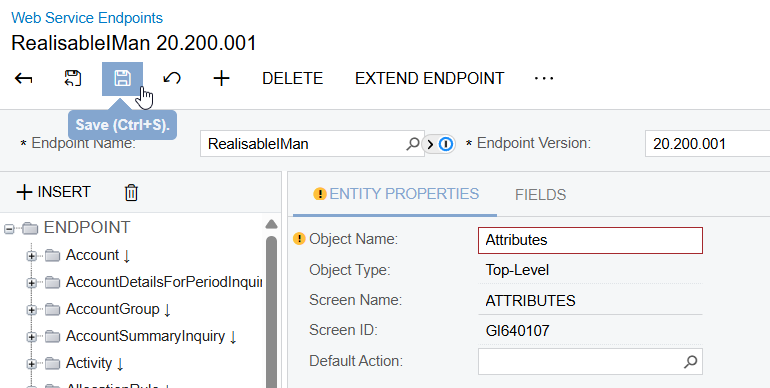
- Create a new Connected Application – set the OAuth 2.0 Flow to Resource Owner Password Credentials.
User Setup
In order to connect to Acumatica, a separate user will need to be created.
- Go to the User Security and then Users.
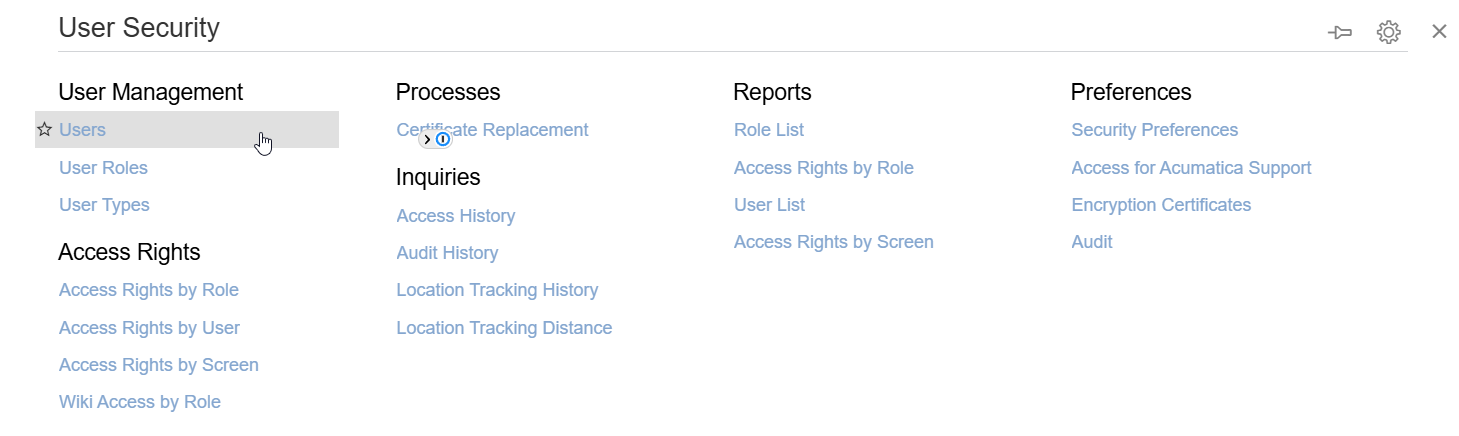
- Create a new user.
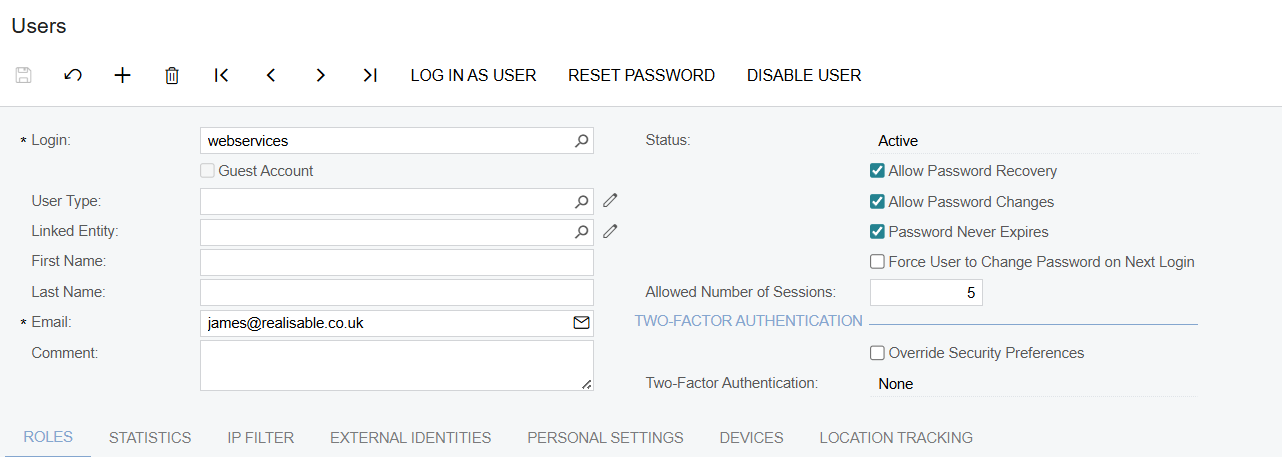
- Add the OData role.
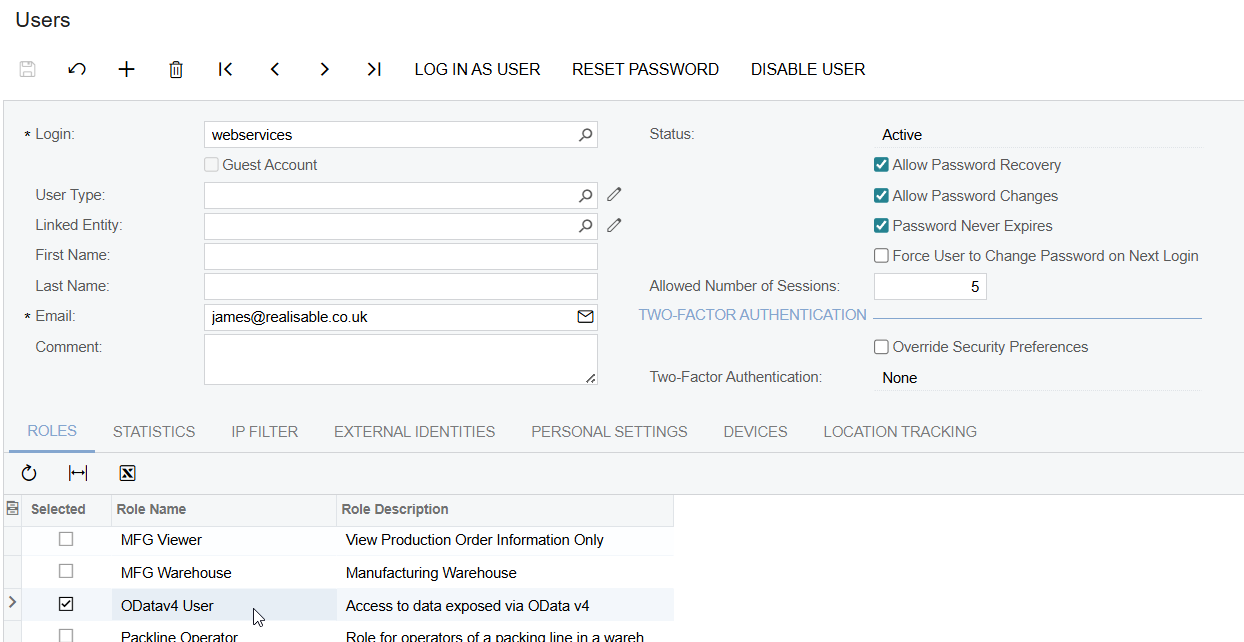
- Save the User.
- Continue to the IMan System Connector Setup.